
SHORT ANSWER
Help Facebook Page visitors understand the business, see how products are used and find useful answers. A cordless-vacuum example connects business updates, original video, customer questions and practical follow-up, with current context on Facebook video publishing.

Article
Use a Facebook business Page to explain the business, demonstrate product use and answer questions that help visitors take the next step. Plan around what customers are considering, with clear information and original content they can use.
1. Which questions should Page content answer?
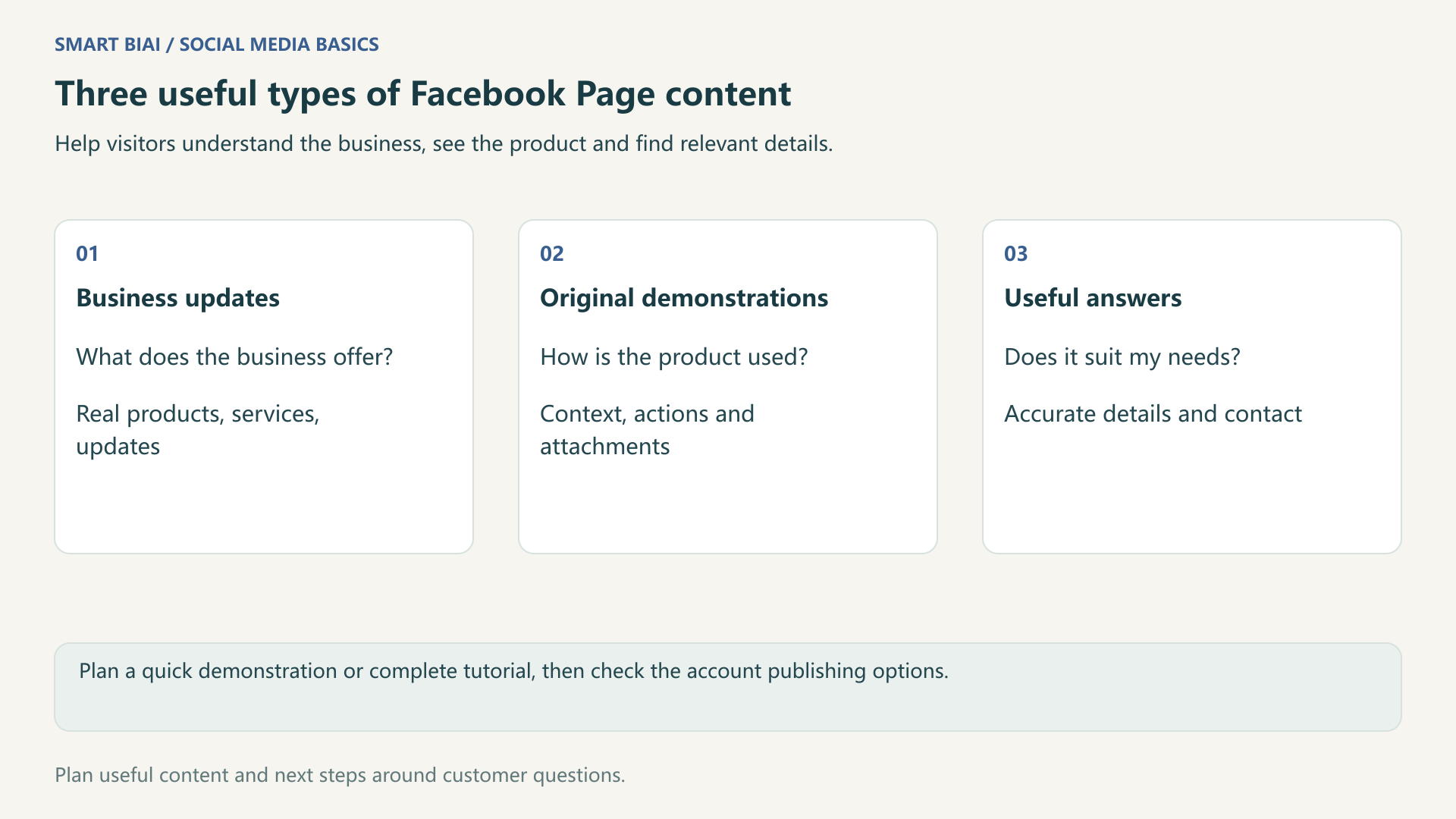
Help visitors recognize the business, understand its products and find the right way to learn more. Business updates describe real activity, demonstrations show understandable actions, and answers address choices and contact needs.
| Visitor question | Content direction | Cordless-vacuum topic | Relevant destination |
|---|---|---|---|
| What does this business offer? | Business and brand updates | Product range, service scope, real events | Company or product information |
| How is the product used? | Original demonstrations | Attachments, storage and specific uses | Instructions and related tutorials |
| Does it fit my needs? | Answers and selection information | Attachment uses, dimensions and contact | Relevant details or a consultation channel |
Keep Page details and contact information consistent with the posts. If the Page is new, start with Facebook Page preparation before expanding the content plan.
2. How should quick demonstrations and complete tutorials be published?
You can still plan quick demonstrations, complete tutorials and focused answers. Upload through the options currently available to the account. Meta's video-publishing announcement describes a gradual move to sharing Facebook videos as Reels, so follow the publishing options shown for the account.
An attachment change may need only a brief demonstration; a first-use tutorial needs preparation and complete steps. Choose a length that explains the task. Check framing, duration and audience settings before posting. When using a publishing tool, also check the fields shown in its task page.
3. How can one product support ongoing useful posts?
Collect questions that can be answered using real products, instructions and footage. Updates can concern product information, actual events, service work or useful new materials. Publish facts that genuinely occurred and are suitable for sharing.
| Topic | Materials | Explain | Questions to notice |
|---|---|---|---|
| Product range | Actual photos and intended uses | Which needs the versions address | Which version suits a situation? |
| Sofa-crevice demonstration | Original footage | Attachment and demonstration conditions | What about another area? |
| Attachment guide | Clear close-ups | Intended purpose of each tool | Is it suitable for a surface? |
| Storage method | Real setup and measurements | Space and placement | Is installation needed? |
| Care tutorial | Product instructions and matching footage | Correct maintenance steps | How is a part maintained? |
| A recurring question | A summary without personal details | One accurate answer and next step | Is a personal explanation needed? |
Prepare the topics in manageable batches using the materials you have. For customer stories and events, use information approved for public sharing and describe what actually happened.
4. How can original content be reused across platforms?
Work with original materials you created or have rights to use, and build the explanation around your product and experience. Meta's original-content guidance distinguishes meaningful creation from small changes such as borders, captions or speed changes to someone else's post.
The same product shoot can support several platforms, with openings, subtitles and destinations adapted for each audience. Keep captions relevant to the actual content. Meta's spam-content guidance also addresses unrelated captions and distracting hashtag practices. Use viewing patterns and comments to improve the next topics and their presentation.
Smart BIAI helps organize materials and language versions, arrange tasks for authorized Pages, and check live posts and publishing results. This publishing workflow is for authorized Pages. Handle group participation and private-message replies in the appropriate channels. See cross-platform publishing fields.
5. How should questions inform the next post?
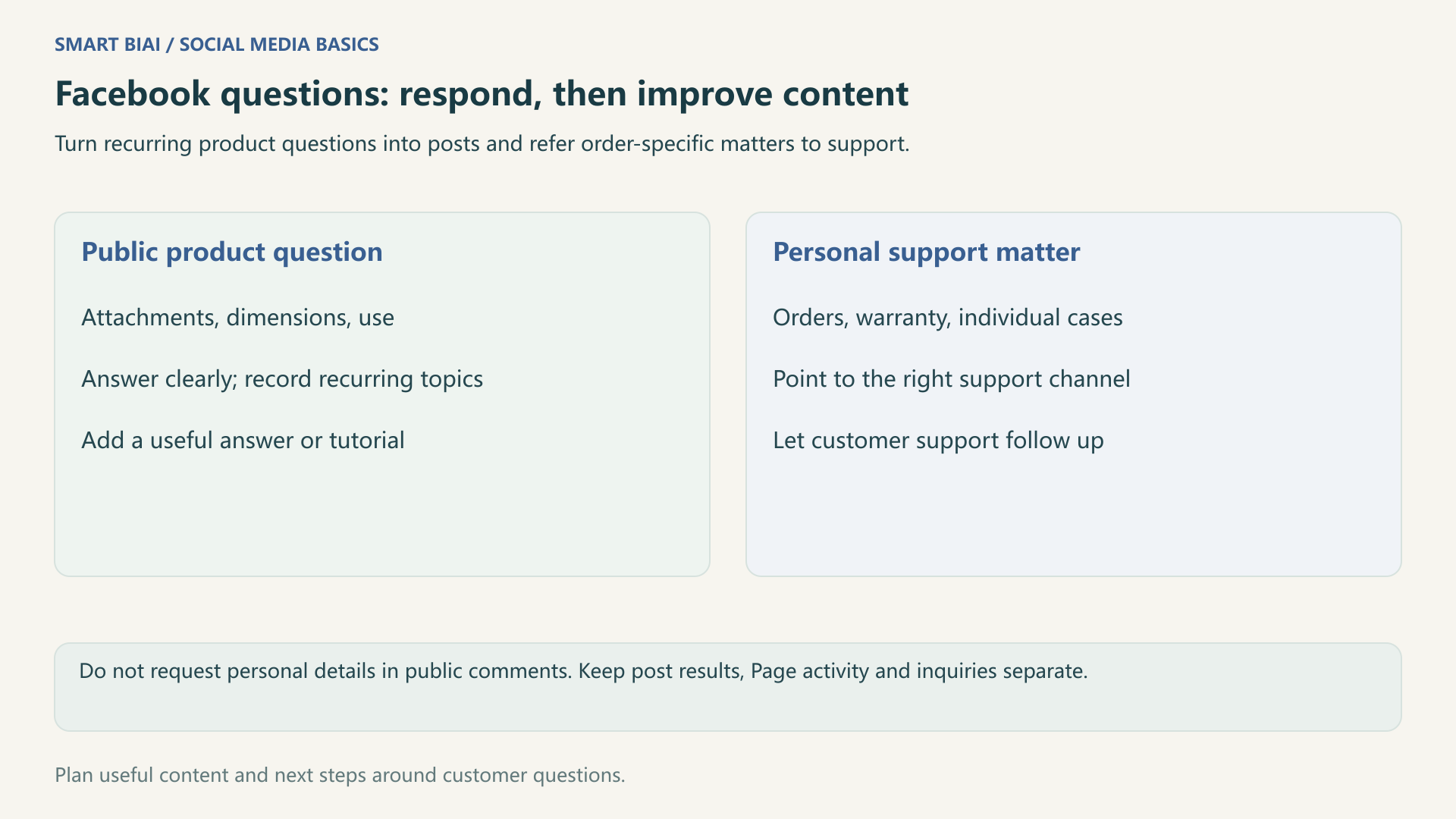
Answer the immediate question first, then decide whether a public post would help more people. Repeated attachment, dimension and usage questions can become an explanation. Order-specific and warranty matters should move to the appropriate support channel rather than requesting personal details in public comments.
| Review area | Look at | Next step |
|---|---|---|
| Understanding | Viewing data and repeated questions | Add a close-up, improve the title or make a tutorial |
| Continued interest | Page activity and available link data | Check that the destination matches the topic |
| Useful responses | Actual inquiries and follow-up | Add a public answer or involve support |
| Missed publishing details | Post links, versions and times | Complete a missed post or adjust the next plan |
Record reach, viewing, Page visits and inquiries separately. Views are not customer counts. Learn more about account and publishing organization in Global Social Operations.
Continue reading
Questions enterprise teams ask
Does a business Page have to publish only short Reels?
Plan brief demonstrations or complete tutorials as needed. Meta has announced a gradual unified video-publishing experience. Check the current format, duration and field options, and keep the explanation complete enough for the task.
Are business updates useful only for large companies?
No. Small teams can explain real products, services, useful materials and actual work. Help visitors understand the business without inflating routine developments into achievements.
Does adding captions to another account's video make it original?
No single captioning step establishes originality. Check rights first and add meaningful creation and explanation. Reuploads, borders and speed changes are not an original-content method.
Should every post include a buying or contact link?
Match the destination to the purpose. A tutorial can point to instructions; a selection question can point to product information or a consultation channel.
What if someone asks about an order or warranty in comments?
Explain the appropriate support route and let the responsible person follow up. Do not request or publish order numbers, phone numbers or other personal details in public comments.
What should we connect for Facebook publishing in Smart BIAI?
Connect the Pages you manage and prepare their images, videos and copy. Personal profiles, group participation and private-message replies are handled separately from Page publishing tasks.