
SHORT ANSWER
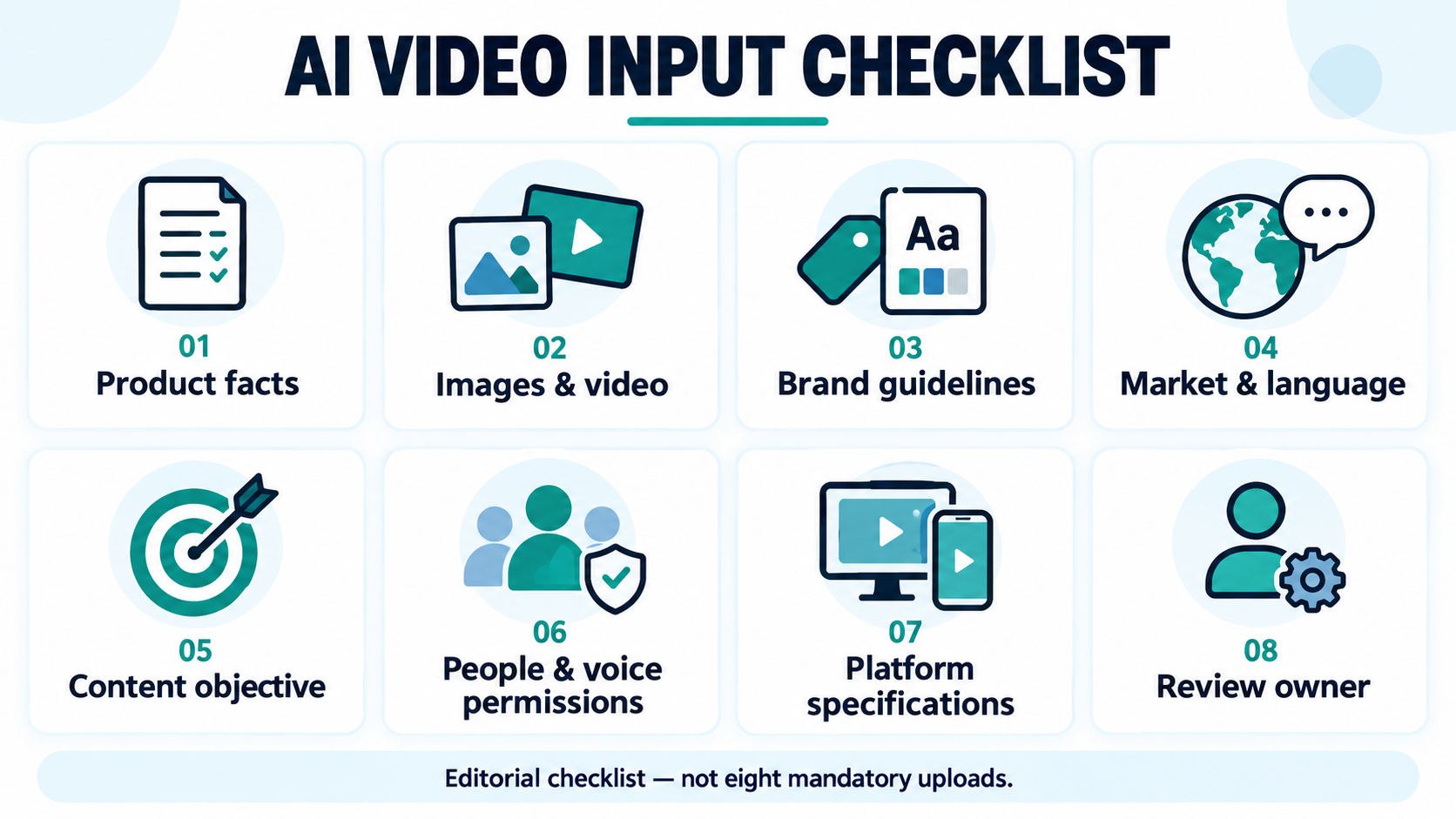
Before making AI video, a business should confirm product facts, usable media, brand guidelines, markets and languages, the objective, asset and people/voice usage scope, platform specifications, and review owners. These eight categories can live in one brief. Review a pilot before expanding into localized and platform versions; the team still confirms facts and usage scope.

Article
Before making AI video, a business should confirm eight input categories: product facts, usable images or video, brand guidelines, target markets and languages, the content objective, people and voice permissions, platform specifications, and review owners. These do not have to be eight separate files. They should give the production team clear answers about what it may show, who the video is for, which claims it must avoid, and who approves the finished version.
Product photos alone can support a pilot when the selected task accepts image inputs. They cannot supply missing product facts, prove real-world performance or establish permission to use someone's likeness. Start with a clearly scoped pilot, review it, and then expand into additional markets and versions.
Eight input categories and what “ready” means
This is an editorial checklist for enterprise video production, not a Smart BIAI requirement to upload eight documents. Link existing materials in one brief, name their versions and owners, and mark unresolved items as pending. AI-generated guesses are not a substitute for missing evidence.
| Category | Materials to prepare | What to confirm before production |
|---|---|---|
| 1. Product facts | Product name, model, SKU, confirmed features, conditions, specifications and their sources | Which facts apply to the market and model; which source version is current |
| 2. Images and video | Clear product photos, necessary views, genuine demonstrations, editable originals and asset IDs | Files open correctly; the media and script describe the same product |
| 3. Brand guidelines | Approved logo, colors, font-use instructions, tone, prohibited claims and end-card rules | Which logo version to use; what wording or visual treatment must stay unchanged |
| 4. Market and language | Country or region, audience, language, terminology, units, currency and action wording | Local product configuration and offer conditions; who reviews the language |
| 5. Content objective | The question this video answers, its main message, intended use and one primary CTA | What the viewer should understand or do; what is outside this video's scope |
| 6. People and voice permissions | Sources and usage records for images, video, music, fonts, people and voices | Whether the confirmed scope covers this commercial use, market, channel and period; exclude unresolved assets |
| 7. Platform specifications | Destination platform and account, aspect ratio, planned duration, resolution, caption placement, cover and publishing fields | Task settings match the destination; recheck platform requirements before posting |
| 8. Review owners | People responsible for product, brand, language and publishing checks | Who resolves factual disputes, confirms the final file and receives revision requests |
The permissions category also covers ordinary media, music, fonts and reference assets. Being able to view or download a file does not establish permission for the intended use. Keep a source and scope record that another team member can check; a generic “approved” label alone does not settle every usage question.
Minimum inputs for a pilot versus inputs for repeat production
Minimum inputs should let you test one defined message. They do not automatically make an entire batch ready for publication. Missing logo animation or extra camera angles can be handled by simplifying the idea. Missing facts or usage confirmation should be resolved first, or the scope reduced to material already confirmed.
| Area | Minimum for a scoped pilot | Recommended before repeating the workflow |
|---|---|---|
| Product | An approved description; use only supported statements | A facts table by model, SKU and market, with an owner and effective date |
| Visuals | Clear, usable images or video accepted by the selected task | Additional angles, real demonstrations, scene assets and editable originals |
| Brand | Brand name, any usable marks and prohibited wording; mark unnecessary elements as unused | Approved logo and font files, color rules, end cards and correct/incorrect examples |
| Market and objective | One market, one target language, one message and one main action | Terminology, local product information, market reviewers and a version map |
| Specifications and acceptance | One destination account or use, duration, aspect ratio and named reviewers | Platform-specific specifications, asset IDs, revision history and final-file records |
| Permissions | Confirmed usage scope for included assets; exclude unresolved elements | Traceable sources, scope, periods and restrictions, checked again for new markets |
One market, one language and one message is a suggested pilot scope, not a model or plan limit. File formats, image counts, dimensions, duration and resolution must be checked against the selected model and current task interface.
When a pilot has factual, visual or language problems, record the likely cause before generating more versions. Was the source angle missing, the brief ambiguous, the product information incomplete, the task setting unsuitable, or a detail poorly preserved by the model? The answer determines whether to add an asset, revise the brief, change settings or regenerate.
What can you make with product photos alone?
Photos can support an appearance-focused introduction, a scene concept or a message backed by supplied product information. A still image does not prove unseen internal construction, real motion, durability or performance. If those are central to the message, obtain genuine demonstrations or other checkable evidence. Do not present generated footage as a scene that was actually filmed or a test that actually occurred.
For example, a desk-lamp photo can support an appearance pilot. Explaining an adjustment mechanism would need relevant views or a real demonstration; making a performance claim would need supporting product information. This is an editorial example, not a Smart BIAI customer story or a statement about an actual lamp's features.
Separate details that must remain accurate from creative choices the team may explore. Shape, color, packaging text, model identity and accessories need comparison with the source. Background and pacing can be creative within the brief's limits. Review the result against the original materials.
Put brand, market and prompt requirements in one reusable brief
“Keep it on brand” is too vague to inspect. Supply the approved logo and placement examples, state whether cropping or color changes are permitted, and identify usable fonts. Check important text in the final video instead of assuming the generation process will preserve lettering or marks accurately.
Localization also needs market context. Two English-language markets may use different product variants, currencies, units, sales conditions and action destinations. Review captions, voice, on-screen text and publishing copy separately. The multilingual video production checklist provides related reading on these content layers.
Copy and fill in this brief. It is a team handoff template, not a claim that Smart BIAI automatically reads every field, enforces prohibited wording or provides an approval workflow.
| Brief field | What to enter |
|---|---|
| Product and factual source | Product, model and SKU; approved facts or official source link; source date |
| Objective and audience | One question to answer; intended viewer; excluded topics |
| Market, language and terms | Country or region; language; approved brand and feature names; units and action wording |
| Input files and usage scope | Asset IDs, file locations, permitted period and channels; excluded unresolved elements |
| Preserve and do not invent | Details requiring accuracy; unsupported features, specifications, effects or offers to avoid |
| Brand, voice and text | Logo version, colors, fonts and voice choice; separate caption and on-screen text instructions |
| Output and confirmation | Destination, duration, aspect ratio, resolution, reviewers and version ID |
Example prompt fragment: “Create an appearance-focused pilot using the supplied product facts and assets. Do not add unsupported features, specifications or real-world performance claims. Use the source images to check product details; creative changes are limited to the specified background and pacing. Confirm important text and the logo during subsequent brand treatment and human review. Use the market, language, aspect ratio and duration in the brief. List missing critical facts for confirmation before production.”
This is a communication example, not a guarantee that a model will follow every instruction. Resolve critical fields before creating the task and check the resulting video again.
From prepared inputs to localized versions
The recommended sequence is confirm inputs → write the brief → generate a pilot → human review → localized and platform versions. When review fails, revise the relevant input or setting. An accepted pilot does not exempt later versions from review.
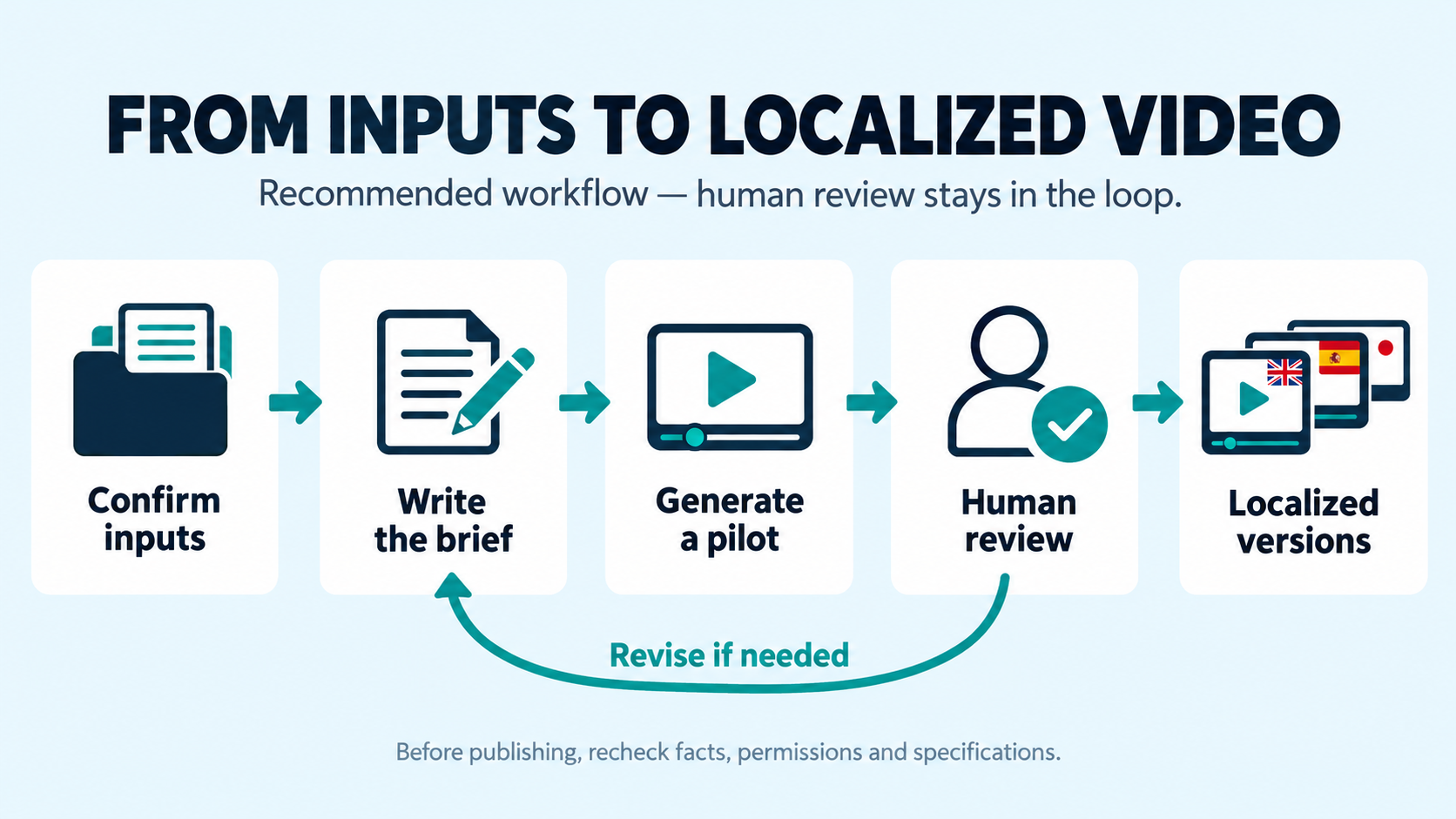
Define acceptance criteria in the pilot brief: the model and appearance are accurate, narration adds no unsupported facts, terminology agrees with captions, marks are correct, and output meets the intended specifications. Attach each rejection reason to a specific version so the team can distinguish input, production and review problems.
For handoff, keep a mapping from source asset ID to facts version, brief version, market, language, platform specification, final file and reviewer. A shared table is enough to begin. Related workflow reading includes the enterprise AI video production guide and video localization guide.
Which inputs matter most in different business scenarios?
These are preparation recommendations, not customer outcomes or promises about generated results.
| Scenario | Inputs to prioritize | What to inspect in the result |
|---|---|---|
| Ecommerce product introduction | SKU-specific views, dimensions, accessory information, local product page and confirmed offers | Wrong color or packaging, accessories implied as gifts, expired prices |
| Automotive and new-energy introduction | Model- and market-specific configuration, genuine interior/exterior assets and permitted demonstration footage | Mixed configurations; unsupported implications about driving or safety performance |
| Consumer electronics and smart hardware | Model, ports, operating steps, support conditions, interface assets and local terminology | Incorrect controls or steps; concept imagery presented as a real interface recording |
For related industry context, read the automotive multilingual video case and smart hardware content operations case. These are further reading, not evidence that the recommendations above deliver identical results.
Before publication, inspect the actual video
- Product facts: The model, features, specifications and appearance match the market's source materials; no unsupported effects were added.
- Assets and permissions: Included media, music, fonts, people and voices are within the confirmed usage scope.
- Brand: Check the logo, name, colors, prohibited wording and important text individually.
- Market and language: Captions, narration, on-screen text, units, currency and action destinations match the intended market.
- Picture and sound: Look for distortion, text errors, incorrect voices and unsuitable scenes; captions are readable and do not obscure the subject.
- Platform: Preview in the actual aspect ratio and check duration, clarity, cover, publishing fields and applicable AI-content declaration requirements.
- Version and responsibility: The final file maps to its source and brief versions, with named reviewers and revision records.
- Handoff and archive: Publishing staff receive the confirmed file; add the public link, publication date and review notes afterward.
The team performs this checklist. Better preparation can reduce avoidable rework, but it does not guarantee generation quality, approval or audience response. Models, task settings and source quality still affect the outcome.
Where Smart BIAI fits
Smart BIAI AI Video Creation supports starting from product links, text, images or original video, with generation, localization and brand-treatment capabilities. Check the chosen model and current interface for accepted files, languages and specifications.
The brief, permission records, acceptance criteria and version map in this article are team practices, not built-in automatic approval. Prepare and check destination-specific versions separately; reusing inputs does not mean automatic cross-platform adaptation. The team retains responsibility for facts, usage scope, language and publishing decisions.
With confirmed product information and usable assets, register to try Smart BIAI and test one clearly defined pilot. Trial eligibility and task consumption depend on the account and current product rules.
Questions enterprise teams ask
1. What should a business prepare for an AI marketing video?
Confirm product facts, images or video, brand rules, market and language, the objective, asset and people/voice usage scope, destination specifications and review owners. These eight categories can live in one brief rather than eight uploads. Each should have a current source or a named person responsible for confirmation.
2. Can product photos alone be used to make a video?
Yes, when the selected task accepts image inputs. Start with an appearance-focused pilot or a product introduction backed by supplied facts. Photos do not automatically prove internal construction, movement, performance or real-world results; obtain supporting material and compare the output with the facts and originals.
3. How should brand colors, logos and prohibited wording be supplied?
Provide approved mark files, color and font rules, acceptable and unacceptable examples, and details that must remain accurate. A prompt expresses requirements but does not guarantee execution. Inspect important text, marks and brand expressions during subsequent processing and human review.
4. What market information is needed for multilingual video?
Prepare the country or region, language, audience, local product version, units, currency, approved terms and action destination. Assign reviewers for captions, voice, on-screen text and publishing copy. Markets using the same language may still need different versions.
5. Which assets need rights or permission checks?
Check the sources and usage scope of included images, video, music, fonts, people, voices, brand marks and reference assets; voice cloning also needs the relevant permission. Download access or public visibility does not establish commercial, adaptation or cross-market usage rights.
6. Do more assets always improve the result?
No. Relevant, clear and consistent inputs matter more than quantity. Duplicate or conflicting materials can make interpretation harder. Supply the information this video needs, use a pilot to identify problems, and then decide whether to add views, demonstrations or market context, or adjust task settings.
7. Can a batch be published immediately after a pilot passes?
An accepted pilot does not remove review from later versions. Fix the brief and acceptance criteria before scaling, then check product facts, language, brand, usage scope and specifications for each market and platform version. Keep a record linking the final file to its reviewers.