
SHORT ANSWER
Study opening rhythm, information order, shot purpose, settings and calls to action, then write a new script using your own product facts and assets. This guide includes a five-step workflow, a commuter-backpack storyboard, asset source records and a publishing checklist for a reviewable original pilot.

Article
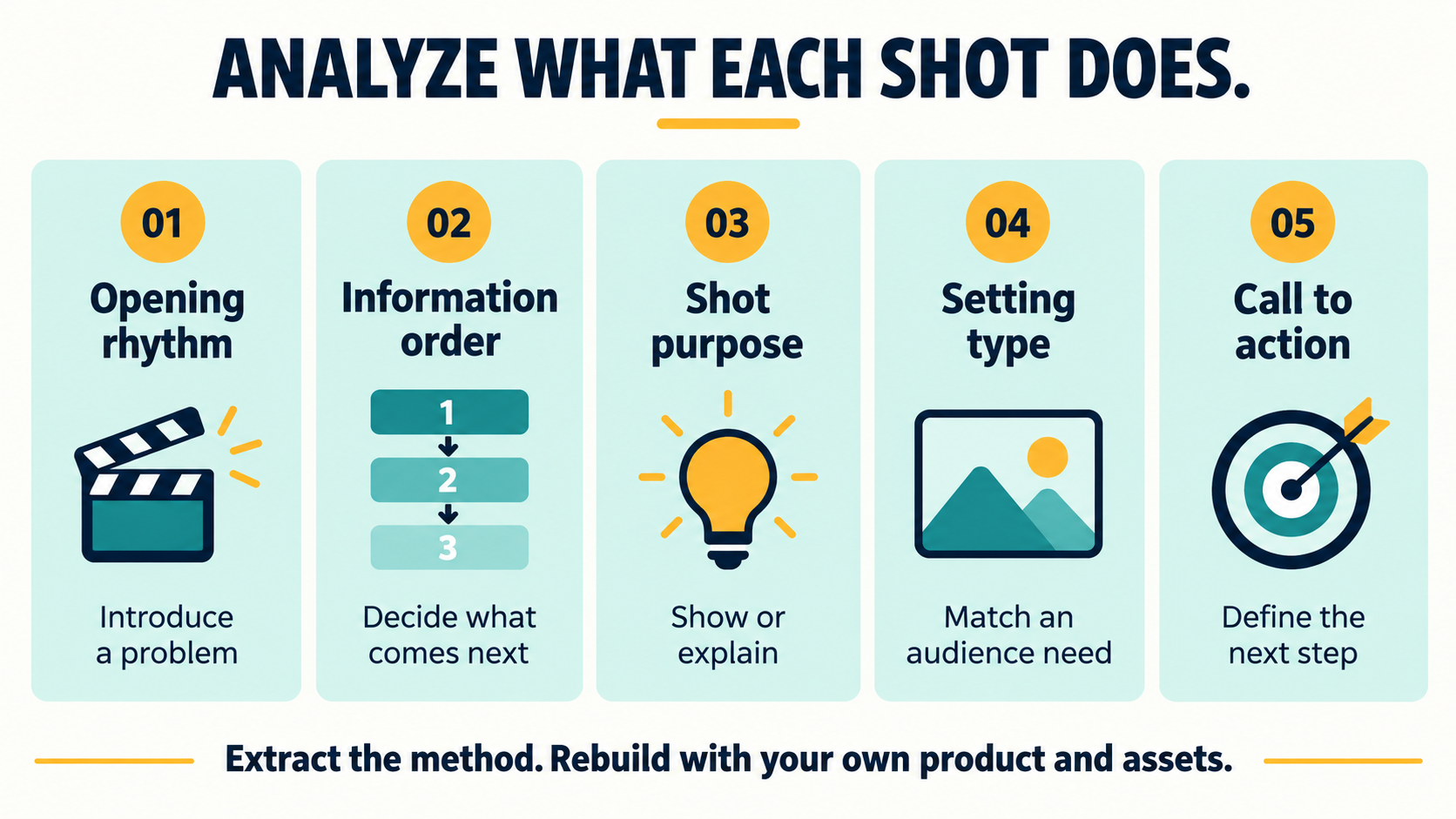
Video creative analysis can start with five dimensions: opening rhythm, information order, shot purpose, setting type and call to action. Turn those observations into a brief, then write a new script around your own product facts, available assets and audience. Check the basis for using any specific footage, dialogue, music, people, voices or brand elements separately. An AI rewrite is not permission to publish them.
Popular content can suggest a creative hypothesis, such as whether showing a problem before demonstrating a solution helps explain a product. It cannot establish that the same structure will deliver the same views for another product. Use the analysis to decide what is worth making and testing.
What five dimensions should you analyze first?
Start your notes with the job each section performs. “Introduce a packing problem” is easier to apply to a different product than a copied opening line. “Use a close-up to explain an action” also gives you more room to create than reproducing the original actor, setting and sequence of movements.
| Dimension | Question to ask | How it can inform a new brief |
|---|---|---|
| Opening rhythm | Does the video begin with an outcome, a question or a situation? | Show a specific commuting problem before introducing the product |
| Information order | In what order do benefits, demonstrations and explanations appear? | Audience need → product detail → real demonstration → product information |
| Shot purpose | Does a shot attract attention, show a detail or provide evidence? | Use your own close-ups for construction details and real footage for operation |
| Setting type | Whose need does the scene address, and in what situation? | Design a new commuting scene with your own people and location |
| Call to action | What should the viewer learn or do next? | Link to information for the exact model shown in the video |
These are analysis dimensions. A particular sequence, combination of dialogue or audiovisual presentation may still contain someone else's creative expression. Do not relabel it as “structure” and reproduce it. WIPO's copyright FAQ distinguishes ideas and methods from expression; that distinction is not blanket permission to recreate any similar storyboard commercially.
What needs a separate permission check?
Check specific footage, script text, music and other creative assets against the intended use. People, voices and brand identifiers can also raise rights or restrictions beyond copyright. A license for a video should not be assumed to clear every element within it.
| Material you intend to use | What to confirm before production | A practical way forward |
|---|---|---|
| Clips, screenshots, photographs and illustrations | Source, rights holder, commercial and modification scope, and permission to upload to the chosen tool | Use your own assets or obtain the relevant permission; do not take reference frames as ready-made production assets |
| Dialogue, captions, copy and distinctive story arrangements | Whether the plan follows specific expression rather than an abstract method | Write new dialogue, scenes and shot arrangements from your product information |
| Music, recordings, fonts and graphics | Permitted channels, territories, duration and types of use | Select assets cleared for this use and retain the supporting records |
| A person's appearance, performance or voice | Permission for the intended use, including any synthesis, cloning or implied endorsement | Use cleared performances and voices within their permitted scope |
| Trademarks, packaging, logos and recognizable brand designs | The basis for use and any risk of implying a brand relationship | Use your own brand assets; check third-party elements separately when needed |
Credit, a short extract or replacement background music is not a substitute for a basis to use the material. YouTube's common copyright myths explains that attribution and brief clips do not automatically prevent copyright issues. Any legal exception needs to be assessed for the territory and particular use.
How do you turn analysis into a new script in five steps?
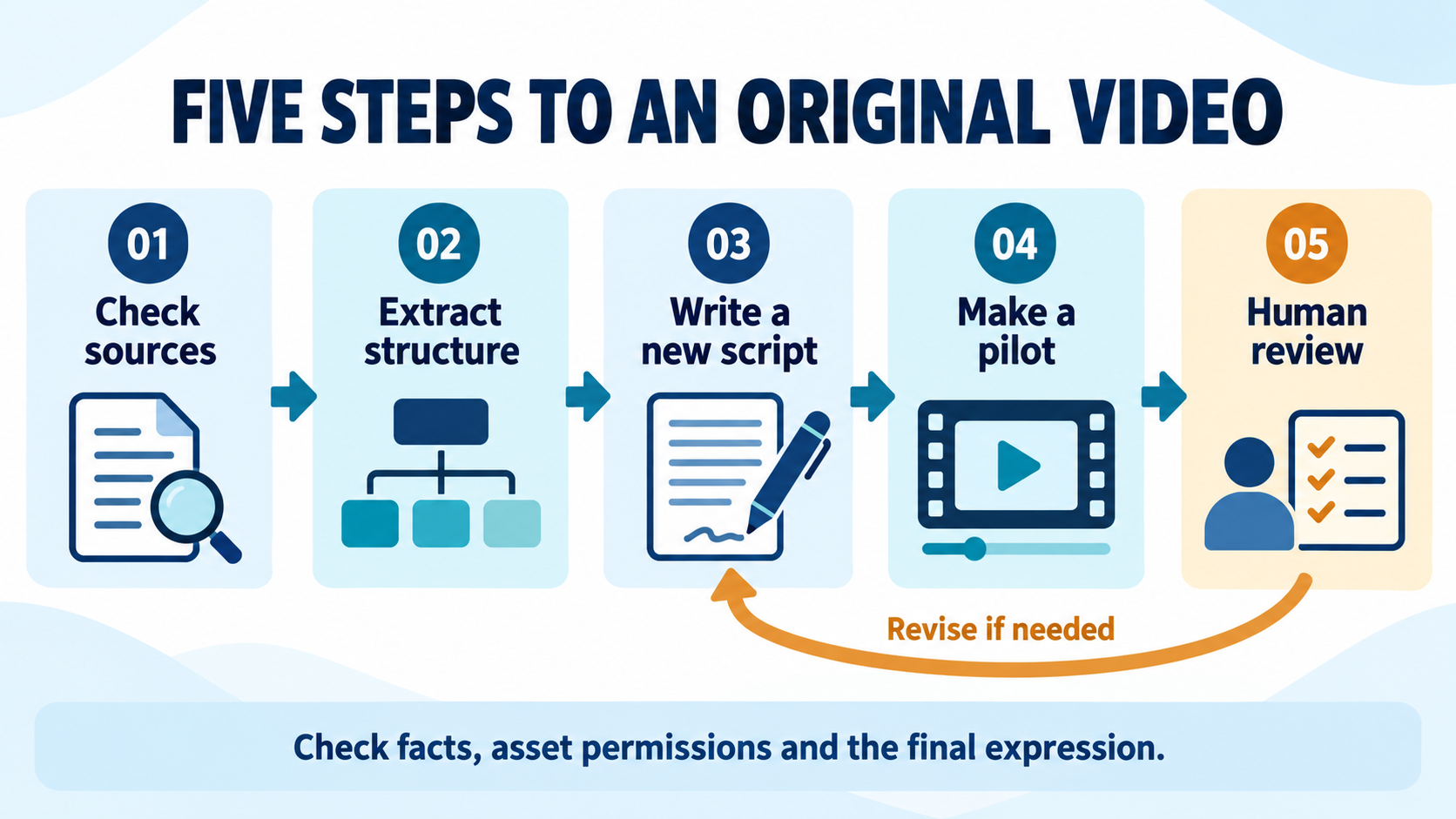
Use this sequence: check sources → extract structure → write a new script → make a pilot → human review. Keep a reviewable result from each step so a problem can be traced to the relevant brief, asset or production decision.
1. Check sources: separate viewing from uploading and reuse
Record the reference URL, account or creator, review date and reason for studying it. If you also intend to download, capture frames, upload to an AI tool, adapt the work or include it in the final video, check the relevant permissions and service terms separately. Public viewing does not grant those permissions. When rights are unclear, start with your own written description of the abstract method and exclude uncleared assets.
2. Extract structure: describe a function, not someone else's expression
Organize the notes as audience problem, information order, shot purpose and next action. For example, write “show a real packing process to explain storage,” rather than “keep the creator's opening line and replace the product shot by shot.” If the new brief only works by retaining the original's distinctive dialogue, movements and compositions, redesign the expression.
3. Write a new script from your own product facts
Define the audience, model, verified benefits, available visuals and publishing objective before writing copy and scenes. A feature shown in the reference does not become a feature of your product. Use real demonstrations and verifiable information when a scene needs to show operation or substantiate a claim.
A brief for a creator or AI tool could read: “Introduce this backpack's verified storage layout to daily commuters. Use only the supplied product facts and cleared assets. Begin with an everyday packing problem, then use our product close-ups and real packing footage, ending with a link to product details. Create new dialogue, shot combinations and settings rather than retaining the reference video's specific expression. List unsupported features for confirmation instead of adding them.”
4. Make a pilot to test one message
Prepare your product images, footage and cleared audio, then generate or edit one pilot. Check whether any AI-generated product details or operations are accurate. Replace assets, adjust the task or use real footage where necessary. See the enterprise AI video input checklist for preparation guidance.
5. Review facts, permissions and expression together
Compare the pilot with the product information, asset records and brief. Look for unsupported benefits, borrowed material or a final expression that remains too close to the reference's distinctive choices. After review, prepare language and platform versions. Check subtitles, voiceover, on-screen text and publishing requirements for each version.
What could a new 30-second backpack script look like?
Consider a commuter backpack with your own product images and real packing footage already available. Use the general pattern of problem, demonstration and product details, while showing only verified appearance and storage features. No dialogue or visuals from a specific reference video are needed.
| Time in the edited video | Purpose | Newly designed visuals and copy |
|---|---|---|
| 0–3 seconds | Introduce a need | Film everyday items on a desk: “How do you organize what you carry each day?” |
| 3–9 seconds | Introduce the product | Show the actual backpack and verified storage locations: “Start with a place for your everyday items.” |
| 9–21 seconds | Demonstrate a process | Use real packing and retrieval footage; captions describe only the visible actions |
| 21–27 seconds | Return to the setting | Film a commuting scene: “Choose a layout that fits what you carry.” |
| 27–30 seconds | Define the next action | Use your own brand frame and a details link for the model shown |
This is a storyboard and editing example. Thirty seconds is the target length of the assembled video, not a claim that a particular model generates the entire sequence in one task. Filming and generation methods may vary. Do not add unsupported waterproofing, load capacity or sales claims.
You could write two openings from the same brief, such as packing before leaving and retrieving an item during a journey. Keep product facts, the main demonstration and the destination link consistent while comparing those openings. Reference-video views are not a forecast for either version.
How should you retain asset sources and permission records?
Connect each asset used to the final video, rather than saving only a reference URL. A shared table can hold the evidence, scope and output version. That makes it easier to identify what needs another check when music, markets or advertising channels change.
| Record | What to keep |
|---|---|
| Asset identity | Asset ID, filename, type and location within the final video |
| Source and rights holder | Original URL, supplier, creator or rights holder; creation records for your own material |
| Basis for use | Agreement, license page or other applicable basis, with its version and date |
| Permitted scope | Confirm commercial use, modification, AI-tool upload, markets, platforms, advertising, term and restrictions separately |
| Output and review | Script and video versions, reviewer and public URL; update the mapping after replacing an asset |
A license to publish on one platform may not cover paid advertising, another platform or uploading to an AI service. Ask the provider to clarify unclear terms. If relying on a legal exception, check the specific circumstances. Keeping records supports review; it does not itself grant rights.
Does an AI rewrite automatically become original and commercially usable?
No. Check the permitted use of the inputs, whether the final expression retains protected third-party material, and the requirements of the model, tool and destination market. Translation, a new voice, mirroring, speed changes or regeneration does not by itself prove originality.
Whether an output qualifies for copyright protection is a separate question. For example, the U.S. Copyright Office's 2025 announcement for Part 2 of its AI report discusses human creative contribution and explains why providing prompts alone does not establish protection for the output. That is a U.S. position, not a rule to apply unchanged across every market.
What should the final publishing check include?
- Product facts: visuals, voiceover and captions refer to the same model without unsupported specifications or effects.
- Asset scope: the actual images, music, fonts, people and voices have a basis for this use.
- Original expression: the new script, shot combinations and settings independently explain your product rather than reskinning a reference.
- Market and language: subtitles, voiceover, on-screen text and links fit the intended audience.
- Platform fields: AI disclosure, commercial-content disclosure and specifications reflect the actual content.
- Version records: the final file can be traced to the script, assets and review; add the public URL after publishing.
AI disclosure identifies how content was generated or altered. It does not grant permission to use music, footage or a person's likeness. See the AI video disclosure and publishing checklist.
Where does Smart BIAI fit in this workflow?
Smart BIAI AI Video Creation supports analysis of reference pacing, structure and selling logic, then scripts, prompts and video versions built around your own product. Production can start from product links, text, images or source video and connect to localization and brand treatment. Available inputs and output specifications depend on the selected task and current interface.
Prepare product information and usable assets, turn the analysis into a new brief, and review one pilot. The team remains responsible for asset permissions, product facts and the publishing decision. Generated output does not grant third-party rights or guarantee distribution results.
Register to try Smart BIAI with one product, one target language and one new script. Trial eligibility and credit rules follow the current account terms.
Questions enterprise teams ask
1. Can I send a popular video straight to an AI tool for rewriting?
First confirm the relevant downloading, uploading, processing and adaptation permissions. A reviewable starting point is an abstract written analysis, followed by a new script using your own facts and assets. AI rewriting is not a replacement for permission to use material.
2. Which parts of a video's structure can I study?
Study opening rhythm, information order, shot purpose, setting type and call to action as methods. Do not classify specific dialogue, distinctive shot combinations or the overall audiovisual expression as a generic structure and simply reproduce them.
3. If I use none of the original footage, are there no rights issues?
You still need to check the script, music, voice, people, brand elements and the final expression's relationship to the reference. Original footage is only one part of the review. The new video should not imply an uncleared endorsement or brand relationship.
4. Is credit or a few seconds of material enough to allow publication?
Neither attribution nor duration alone establishes permission. Check the license or other applicable basis for use. Any legal exception must be considered for the territory and circumstances; a fixed number of seconds is not a universal safe threshold.
5. Do I automatically own copyright after AI recreation?
No automatic conclusion follows. Protection, its scope and ownership depend on applicable law, human creative contribution and relevant agreements. Separately, check whether third-party protected content remains in the result.
6. What reference and permission records should I keep?
Keep the asset ID, source and rights holder, basis for use, permitted scope and dates, linked to script and final video versions. Separate reference links from assets actually used. Recheck scope when a market, channel or advertising use changes.
7. Will a new script perform like the popular reference?
There is no guarantee. Products, audiences, accounts, markets and timing differ. Treat the analysis as a hypothesis to evaluate through your own publishing feedback, rather than carrying over the reference's view-count conclusions.
8. Does Smart BIAI automatically complete copyright review?
This article describes a creative and production method, not an automated copyright-review commitment. The team must confirm input permissions, product facts and rights relating to people, voices and brands, then review the final video and publishing settings.