
SHORT ANSWER
An enterprise content library should do more than store files. It should help teams find the right asset, identify the current version, understand where it may be used, and connect videos, images, copy, and music to production and distribution work.
A content library is more than one shared folder
The value of an enterprise social media content library is not the number of files it stores. It is whether a team can quickly answer: what is this asset, which brand and market does it belong to, who may use it, which platforms is it suitable for, which version is current, and where has it already been used?
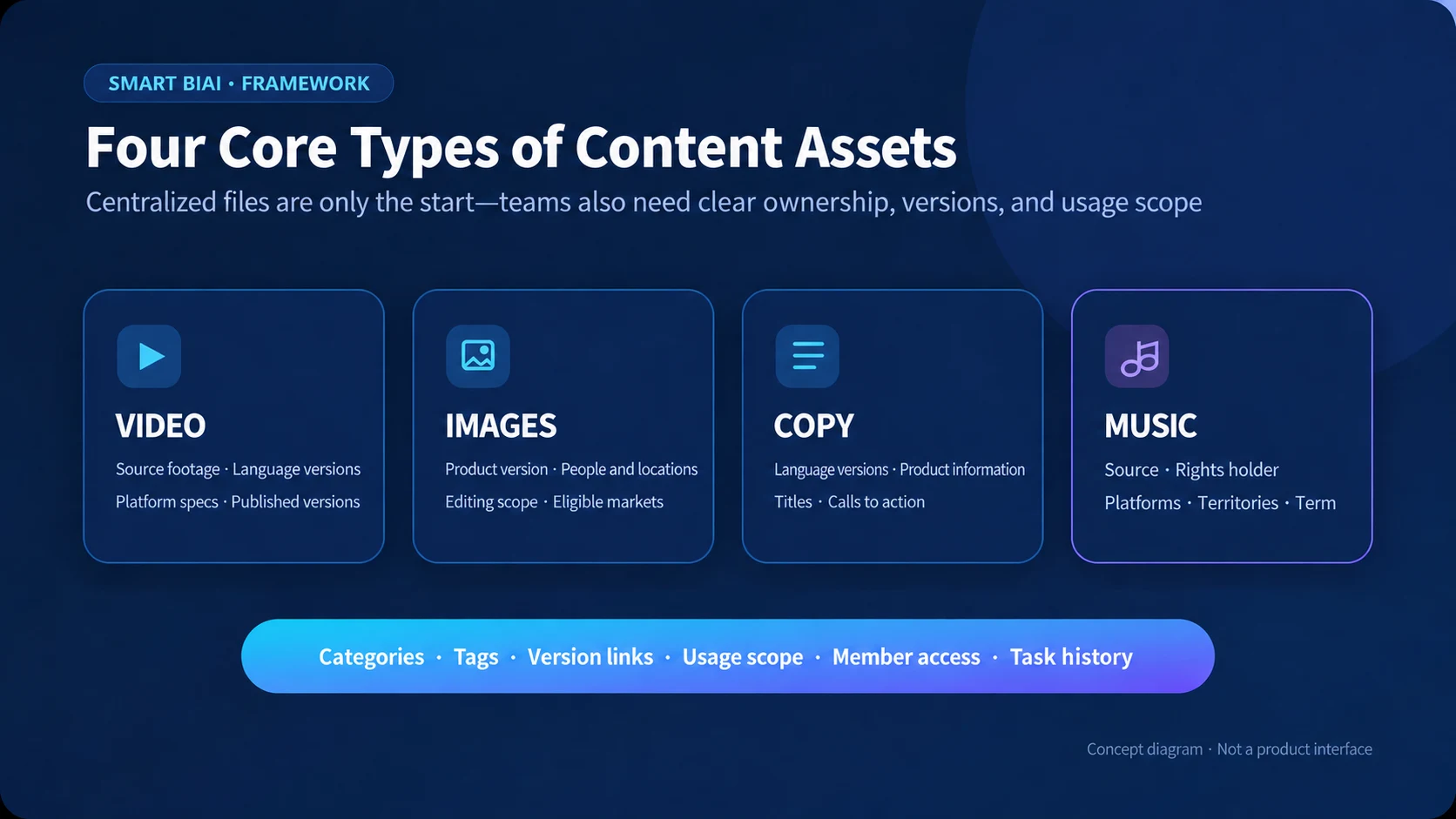
A useful library therefore combines seven kinds of information: asset type, business category, search tags, version relationships, usage scope, member access, and task history. Centralized files without this context remain difficult to find and easy to reuse incorrectly.
1. Why drives and chat history do not support long-term content production
Cloud drives store files and chat tools support conversation, but neither reliably explains the business context of an asset. Names such as final.mp4, final-new.mp4, and final-us.mp4 do not tell a new team member which version was approved, which is suitable for the US market, or whether the music or people shown have a time-limited license.
As the number of markets, languages, accounts, and contributors grows, teams begin to duplicate work, keep competing “final” copies, lose the connection between captions and voiceovers, reuse expired assets, and struggle to hand work over when people change. A content library connects files to brands, markets, versions, permissions, and tasks so the organization does not depend on one person’s memory.
2. Distinguish video, image, copy, and music assets
The four asset types can live in one library, but each needs different information.
- Video: source footage, edited versions, language and platform versions, published versions, aspect ratio, duration, language, subtitles, voice, people, brand elements, and eligible platforms.
- Image: product version, photography or design source, people and locations, editing rights, markets, and validity period.
- Copy: source claims, product information, language versions, platform captions, titles, calls to action, and last update.
- Music: source, rights holder, channels, commercial-use scope, territories, and term. Owned music, licensed third-party music, and platform-provided music should not be represented by one generic “commercial use” label.
3. Use categories for ownership and tags for discovery
Categories create a stable business structure. A typical hierarchy may use brand, product line, market, campaign, language, platform, and asset type. Tags answer practical retrieval questions such as subject, scene, format, aspect ratio, duration, person, product feature, campaign stage, or content theme.
Keep the category hierarchy small enough that the team can use it consistently. Create controlled tag values for common dimensions instead of allowing many spellings for the same idea. A useful search should be able to narrow a large library to assets for one market, language, product, format, and channel without relying on the original uploader.
4. Record the minimum information needed for every asset
At minimum, record a stable asset ID, title, asset type, source, owner, brand, product, market, language, platform, version status, usage scope, validity period, and last update. Add links to related source files, localized versions, published versions, and tasks.
Not every field must be mandatory for every asset. Make the information that changes a real usage decision mandatory. A music track needs rights and territory details; a product image needs a product version and eligible market; localized copy needs a source text, target language, and approval status.
5. Replace “final” filenames with version relationships
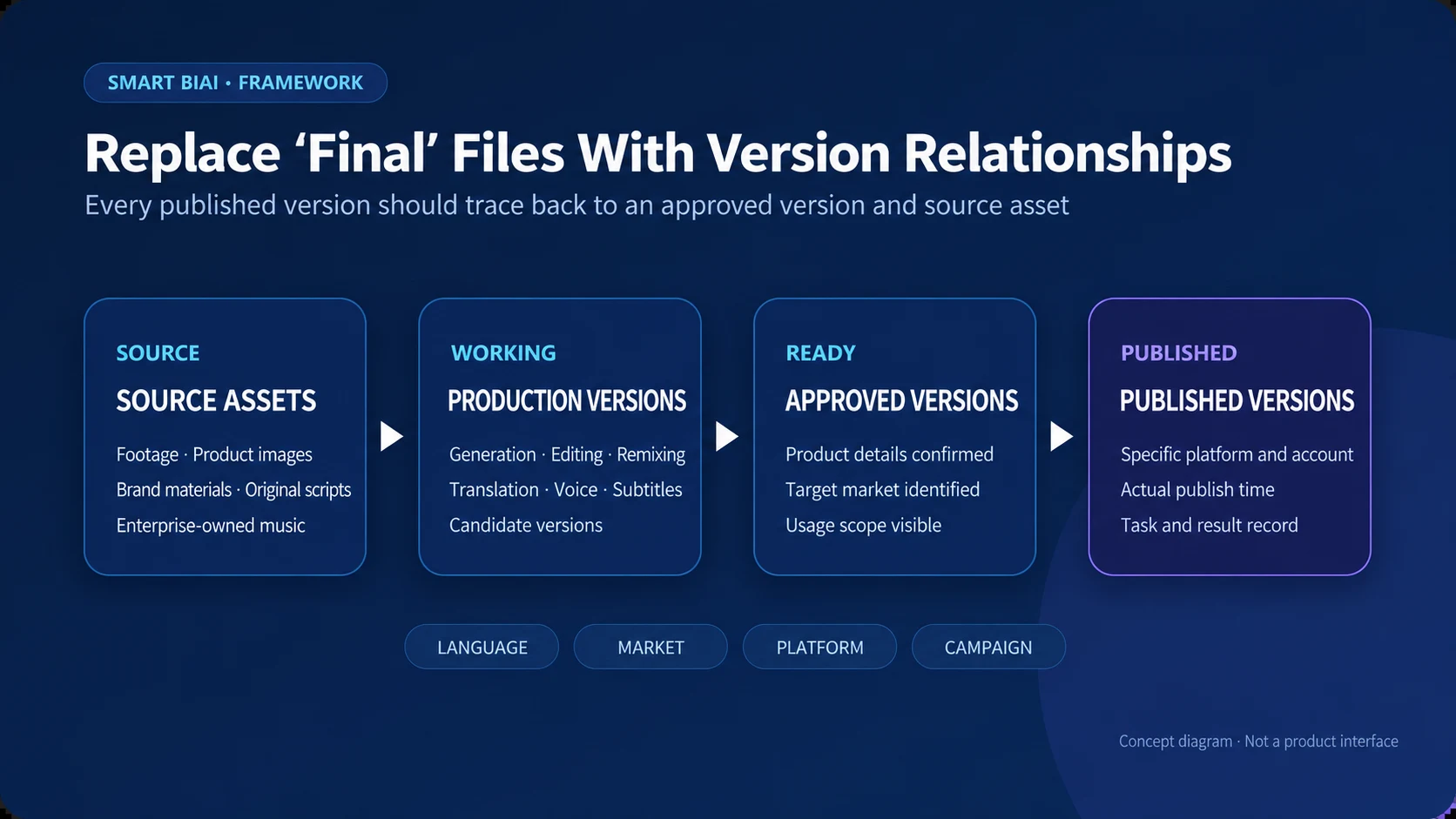
A version is easier to understand when its relationship is explicit. One source video may produce a master edit, several language versions, platform-specific crops, and a published version for each account. Keep these as related records rather than unrelated files with similar names.
Useful version states include source, in production, ready for review, approved for use, superseded, and published. When a product detail, subtitle, voiceover, or license changes, the team can identify which downstream versions may also need an update.
6. Make usage scope support a specific decision
“Approved” is incomplete unless the team knows approved for what. A usable scope can include brand, product, market, language, platform, account, campaign, commercial use, editing permission, start and end date, and any mandatory attribution or disclosure.
The goal is not to turn every operator into a legal reviewer. It is to give them enough visible information to decide whether an asset fits the current task and when to ask the rights owner or responsible team for confirmation.
7. Connect the library to production and global distribution
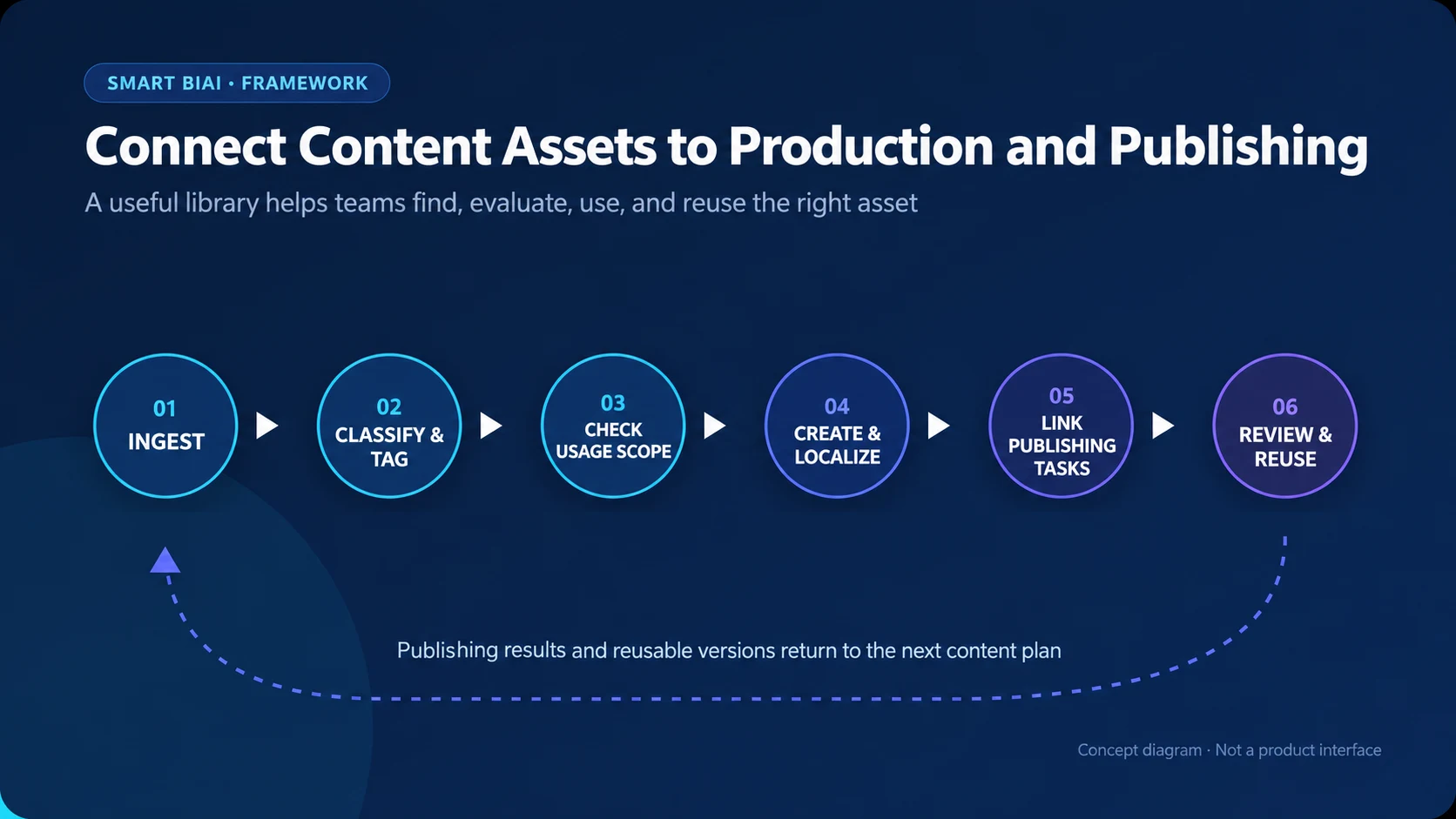
Assets become more valuable when they can enter a production or publishing task directly. A creator should be able to select source assets, generate or upload a localized version, attach approved copy and music, and send the final version to assigned accounts without rebuilding the context at every step.
After publishing, retain the relationship between the source asset, final content, target account, time, and task result. This helps teams find what was actually used and decide which versions can support the next campaign.
8. Start small with a minimum asset register
A smaller team can begin with a table containing asset ID, title, type, owner, brand or product, market, language, platform, version, usage scope, validity period, source link, published link, and notes. Select one active campaign and register only the assets that the team is actually using.
Review the register after one production cycle. Add fields only when a real retrieval, permission, or handover problem requires them. Consistent basic information is more useful than a large taxonomy that nobody maintains.
9. How Smart BIAI supports enterprise content assets
Smart BIAI can organize cloud videos, images, copy, and enterprise-owned music for use across AI video creation and global social distribution. Teams can classify and tag assets, associate them with accounts and tasks, and control visibility or working scope through member permissions.
The platform can connect source material, localized or edited versions, publishing tasks, and results in one workflow. Actual use still depends on the asset’s rights, target platform, account type, market, and enterprise requirements. Teams should confirm these conditions before external publication.
Questions enterprise teams ask
What is the biggest difference between a content library and a shared drive?
A drive primarily stores files. A content library also records business context, versions, usage scope, access, and task relationships so people can find and reuse the right asset.
Can videos, images, copy, and music use one library?
Yes. They can share business categories and permissions while retaining fields specific to each asset type.
How should multilingual versions be managed?
Link each localized version to its source and record language, market, platform, approval state, and update date. Avoid storing translations as unrelated files.
How can a team tell whether an asset is still usable?
Check its owner, rights source, eligible markets and platforms, editing permission, validity period, current product or brand version, and any required attribution or disclosure.
Should an agency see the entire enterprise asset library?
Usually not. Give an agency access to the brands, markets, campaigns, asset types, and period covered by its work.
Can a content library determine which asset performs best?
It can connect assets to publishing and performance records, but performance still depends on the account, market, timing, creative treatment, and distribution conditions. Use the relationship as evidence for further analysis, not as an automatic causal conclusion.
Which assets can Smart BIAI manage?
Smart BIAI supports cloud video, image, copy, and enterprise-owned music assets used in content creation and global social distribution. Available operations depend on the configured product capabilities and permissions.