SHORT ANSWER
Separate stable account identity from changing operational attributes. Use unique keys to link tasks and historical data, readable names to recognize accounts, groups for routine work and tags for themes and campaigns. A six-account example explains permissions, explicit publishing targets and deduplicated reporting.

Article
Give each account a unique internal key, use a readable name to recognize it, organize routine work through groups, and describe changing attributes with tags. Platform, market, brand and account role can form a short internal name. Owners, content themes and campaigns belong in separate fields. Groups and tags help select accounts; access and publishing permissions still need their own configuration.
As TikTok, YouTube, Instagram and Facebook accounts spread across markets, the cost of choosing the wrong account, duplicating a post or losing a handover can exceed the inconvenience of inconsistent names. An account structure should make three things clear: where a piece of content will go, who can work on each account, and which accounts a report includes.
The same approach can serve a team expanding from dozens of accounts or reorganizing an established large portfolio. Decide what each field does before deciding which names to change.
1. Separate identity, work groups and operational tags
Identity answers “Which account is this?” A work group answers “Which accounts do we usually manage together?” Tags answer “What characteristics do these accounts have now?” A readable internal name is an alias attached to the identity record.
| Layer | Purpose | Suggested information | How to handle changes |
|---|---|---|---|
| Account identity | Recognize the same account over time | Unique internal key, platform-native ID and its source scope, readable internal name | Keep the key and change history rather than creating a new account record for a rename |
| Work group | Organize accounts managed together | A regular working boundary such as brand and market: NOVA-US | Review people’s permissions and pending tasks when moving an account |
| Operational tags | Find accounts by changing characteristics | Content theme, owner, campaign, language and lifecycle | Update when business conditions change and preserve information needed for historical reporting |
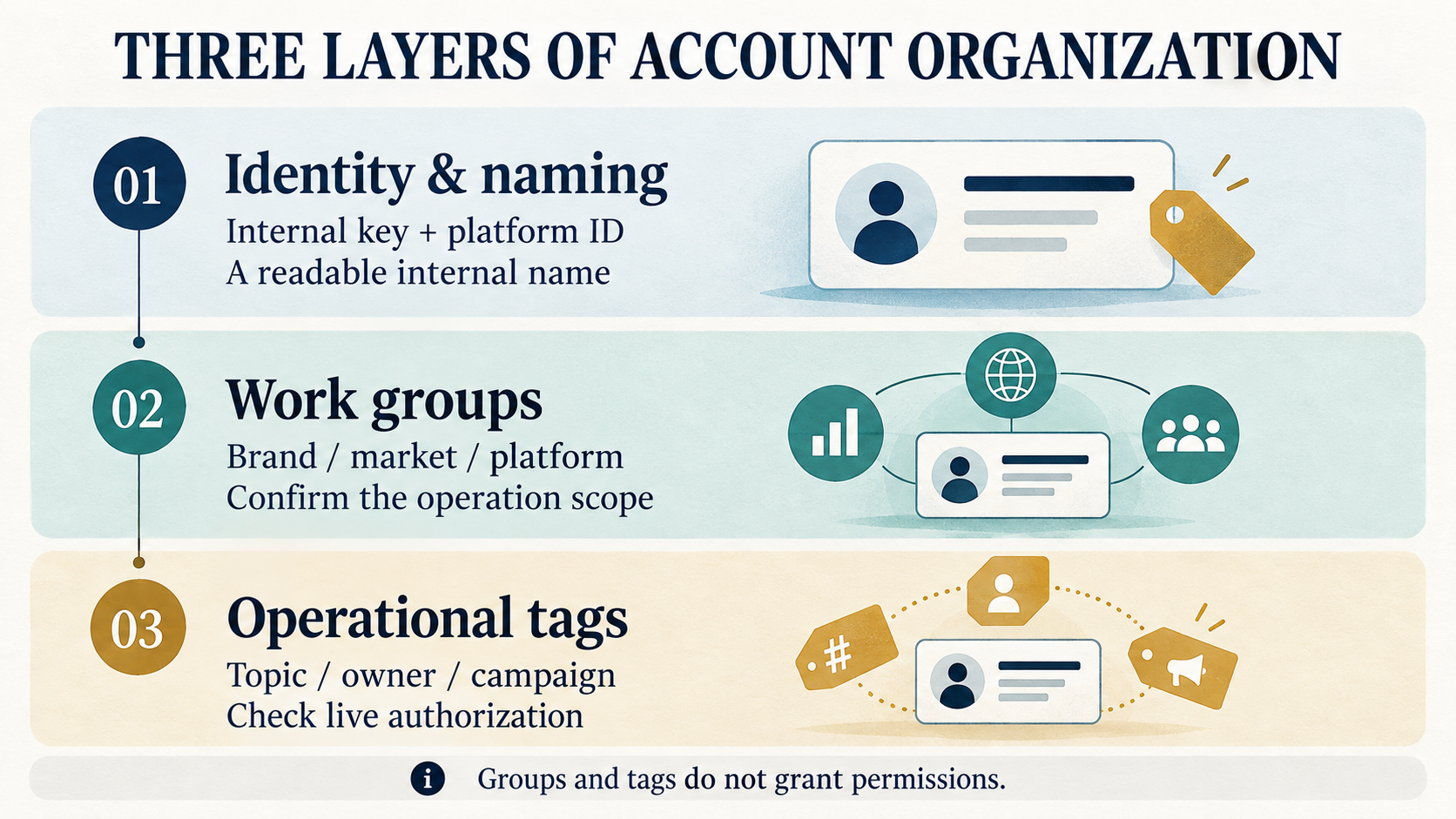
For example, a US-facing TikTok brand account might have the key ACC0001, the internal name NOVA-US-TT-BRAND-01 and the work group NOVA-US. Its current topic could be a product demonstration and its campaign a launch. When the launch ends, update the campaign field. The account does not need a new key or a new public name.
2. Establish account identity before standardizing names
Public names, @handles and internal keys serve different purposes
A public name expresses the brand to an audience. A handle helps people identify or reach an account within a platform. An internal key connects the account to assets, tasks, permissions and historical data.
YouTube channel names, handles and channel IDs serve different purposes. Some TikTok account identifiers are tied to the authorized app. Store each platform account ID with its authorization source so that teams can match the right account across tools.
| Field | Purpose | Suggested rule |
|---|---|---|
| Unique internal key | Link tasks, assets and historical data to an account | Use a value such as ACC0001; do not regenerate it because the owner, display name or market changes |
| Platform-native ID and source scope | Match the actual platform account | Store the platform, ID type and relevant application or authorization source according to the interface’s definitions |
| Public name | Present the brand or content identity to users | Follow platform rules and retain the relationship between old and new names |
| @handle or public account URL | Locate the public account | Store and check it separately; do not use it as a substitute for the internal key |
| Internal name | Make accounts recognizable in team workflows | Keep it short and consistent; it may differ from the public name |
When an account changes owners, markets or names, first establish that it is still the same platform account and preserve that relationship. A newly registered replacement account needs its own identity record rather than inheriting the former account’s key.
A practical internal naming pattern
An internal name can follow “brand—market—platform—role—sequence.” NOVA-US-TT-BRAND-01 quickly tells a colleague which brand, target market, platform and account role they are looking at.
| Component | Example | What each part means |
|---|---|---|
| Brand or business line | NOVA | Use an agreed abbreviation rather than a temporary campaign name |
| Market | US, DE | The target market, which is not necessarily the registration location or the audience’s actual location |
| Platform | TT, YT, IG, FB | Team-defined abbreviations for TikTok, YouTube, Instagram and Facebook |
| Account role | BRAND, HOWTO | A relatively stable role, such as brand presentation or product tutorials |
| Sequence | 01, 02 | Distinguish similar accounts; the internal key remains the identity reference |
These abbreviations are an internal convention, not a universal public username format. Keep public naming consistent with platform rules and the brand’s presentation. Standardizing the register does not require a mass change to public usernames.
Brands, markets and roles can also change. Preserve old aliases and effective dates when changing the internal name so that older tasks and reports remain understandable. Owners, quarters, campaigns and live authorization results change more frequently and should stay in separate fields.
3. A six-account example
The following six accounts belong to the fictional brand NOVA. Alongside these fields, keep platform account IDs, authorization sources, public profile URLs and connection status in the register.
| Internal key | Internal name | Work group | topic | owner | campaign |
|---|---|---|---|---|---|
| ACC0001 | NOVA-US-TT-BRAND-01 | NOVA-US | demo | team-us | launch |
| ACC0002 | NOVA-US-TT-HOWTO-02 | NOVA-US | howto | team-us | always-on |
| ACC0003 | NOVA-DE-TT-BRAND-01 | NOVA-DE | demo | team-de | launch |
| ACC0004 | NOVA-US-YT-HOWTO-01 | NOVA-US | howto | team-us | always-on |
| ACC0005 | NOVA-DE-IG-BRAND-01 | NOVA-DE | product | team-de | launch |
| ACC0006 | NOVA-US-FB-BRAND-01 | NOVA-US | brand | team-us | always-on |
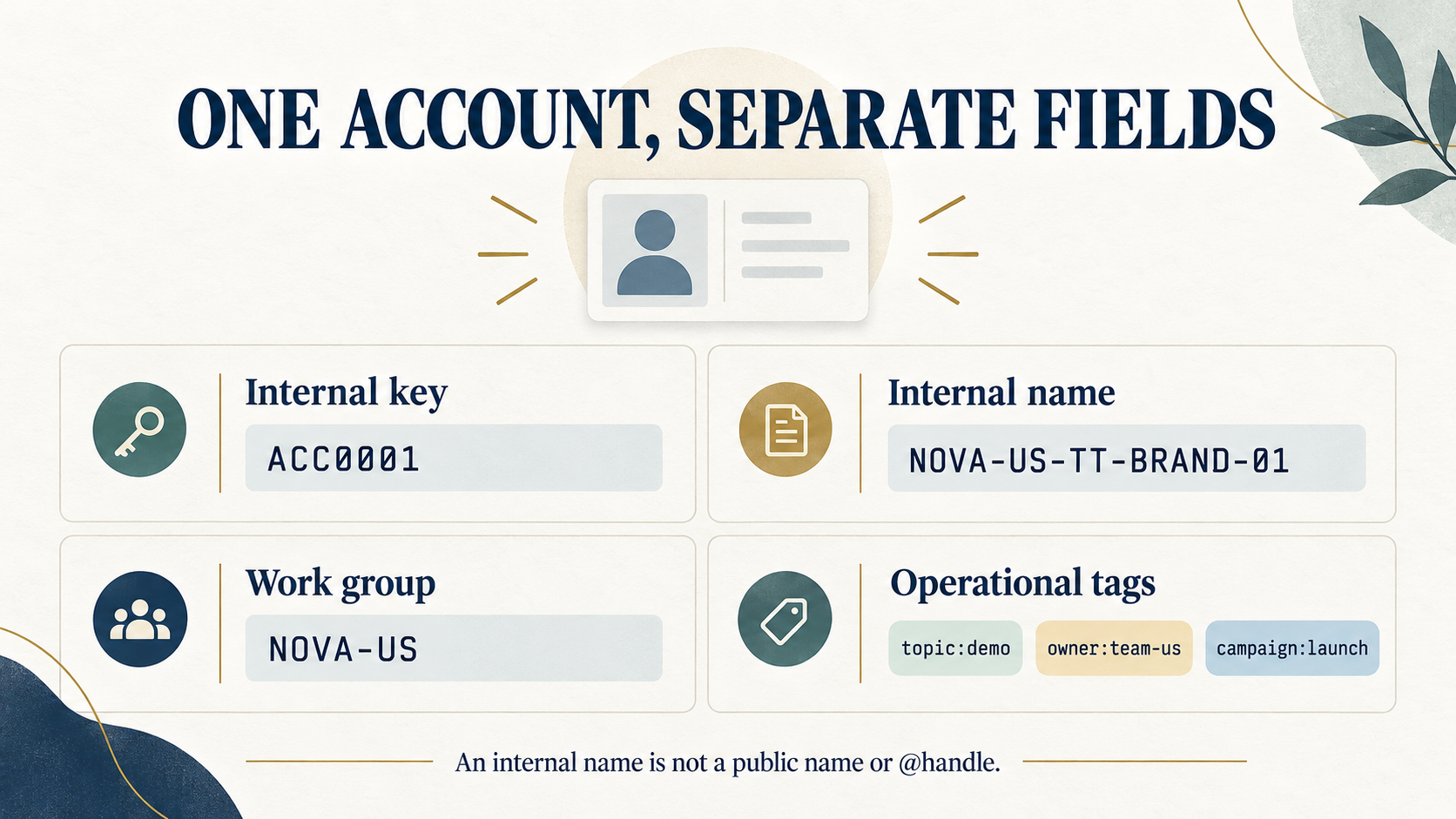
Four accounts target the US and two target Germany. There are three TikTok accounts and one account on each of the other three platforms. Selecting “US + TikTok + demo + launch” returns ACC0001.
Start with a primary work group such as brand plus market, then filter by platform and theme. Add another group only when it supports a real scheduling, handover or reporting need. Every possible filter combination does not need its own folder hierarchy.
4. Keep the tag dictionary useful
Tags work when people interpret them consistently. If one colleague uses “tutorial,” another uses “how-to” and a third uses “howto” for the same idea, a filter may miss relevant accounts. Agree on meanings, accepted values and ownership before expanding the list.
Start with the six categories below. Use separate fields or tags according to the tools your team uses.
| Field | Example values | How many values | When to update |
|---|---|---|---|
| topic: content theme | demo, howto, product, brand | Allow multiple values where useful; begin with a small, clear set | A change in content direction |
| owner: responsible team | team-us, team-de | Assign one primary responsible team | A completed handover |
| campaign | launch, always-on | Allow multiple values; connect campaign values to specific campaign records | Campaign start, end or withdrawal |
| language: main content language | en, de | One or more according to actual publishing needs | A change in main publishing languages |
| lifecycle: operating stage | active, paused, archived | One primary state at a time | Activation, pause or archive |
| auth-check: authorization follow-up | follow-up, checked | A manual follow-up marker | A connection issue or completed check |
Use owner to find the responsible team and auth-check to track authorization checks. Before publishing, separately confirm the account’s live connection status and the permissions needed for the action.
Three maintenance habits make the dictionary easier to use:
- Merge synonyms with a mapping. Choose the preferred value, retain an old-to-new mapping, migrate the records and then retire the old value.
- Give a new tag a purpose. Identify the filter or workflow it serves, who maintains it and when it should be removed. A temporary note does not always need a tag.
- Review missing and expired values. Check relevant fields at handovers, campaign endings and account pauses. During reviews, identify tags that no longer support any decision.
If a tag’s meaning changes, record an effective date or dictionary version. A new definition should not silently change the interpretation of older reports. Short campaign labels are useful only if colleagues can find the corresponding campaign description and dates.
5. Connect the structure to permissions, publishing and reporting
Groups select a scope; permissions determine actions
“Belongs to the US group” and “can publish to US accounts” are separate conditions. When a colleague takes over a group, check account visibility, functional permissions, asset access and actual platform authorization.
Use the global social account permission model to organize responsibilities. After moving an account, decide whether former team members should retain access, whether the new team has the necessary rights and who owns existing schedules. Changing a group or owner tag does not complete these steps.
Turn a filter into an explicit publishing target list
Filtering starts account selection. When creating a publishing task, save the actual target accounts and check the content version, platform fields, target time zone and connection state.
In the six-account example, selecting US tutorial accounts returns ACC0002 and ACC0004. They are on TikTok and YouTube respectively, so their formats, captions and publishing fields still need separate checks. Linking versions through an enterprise social content asset library helps prevent a similarly named file from being selected by mistake.
After a tag changes, check that existing schedules still target the right accounts. When pausing or archiving an account, also review pending schedules, team permissions and its platform connection so that the account is no longer included in work it should not perform.
Deduplicate accounts and preserve historical membership
An account can have several tags, so adding tag counts may count the same account more than once. In this example, topic:demo contains two accounts and campaign:launch contains three. Two accounts overlap, leaving three unique accounts in the combined set, not five.
Group changes also affect historical interpretation. State whether a report uses membership at the time of publication or regrouping based on current membership. Retain the account-to-task records needed for the chosen view.
Match observation periods and metric definitions when comparing results. Views, impressions and reach from different platforms are not automatically the same measure. Deduplicating account records does not deduplicate the actual people who saw the content.
6. Reorganize an existing portfolio gradually
Begin by exporting or consolidating the current register. Find duplicate records, missing platform IDs and accounts without a confirmed owner. Assign unique internal keys before filling in names, groups and tags.
Pilot one brand in one market:
- Map old records to new keys, retaining public profile URLs, previous names and authorization sources.
- Apply the naming convention and dictionary to the pilot accounts, then check that filters return the expected targets.
- Use an actual scheduled item to verify the asset, target account, permissions and time zone.
- Reconcile unique-account counts and historical membership with the original report before expanding the approach.
Keep existing public names and platform connections while completing the identity records and field relationships. Verify uncertain identities before merging records, and review the effect on running tasks before changing account assignments.
7. Five common mistakes
| Practice | Likely problem | Better approach |
|---|---|---|
| Link tasks and data through display names | Renames break matching and duplicate names cause confusion | Link through the unique internal key and retain platform IDs with their scope |
| Put every owner and campaign into the name | Names become long and require constant changes | Keep names readable and store changing attributes separately |
| Assume group membership grants permissions | Colleagues lack required access or receive too much | Configure and check member, function, account and asset permissions separately |
| Treat an authorization tag as a connection result | The label looks healthy while publishing fails | Check real platform connection and authorization status before execution |
| Add counts from several tags | The same account is counted repeatedly | Deduplicate by internal key and state the reporting scope |
8. Connect account management and publishing with Smart BIAI
Smart BIAI’s global social media management supports organizing accounts by platform, market, group and tag, with role, function, account and asset permissions connected to publishing work. Teams can select assets for authorized target accounts, review content and time zones, follow task status and use data exports for analysis.
In the global brand account operations case, the project grew from approximately 500 to approximately 5,000 accounts across four platforms and 35 countries. It offers a practical example of coordinating accounts across platforms and markets. For your own portfolio, establish market responsibilities and content workflows before expanding the account scope.
Begin with one brand in one market: standardize account keys, groups and tags, then connect the accounts to assets, schedules and reporting.
Plan your account structure
To organize an existing portfolio or connect accounts, assets and publishing workflows, book an enterprise consultation. Start with the account scope for one brand in one market.
Questions enterprise teams ask
1. Should a team managing thousands of accounts start by renaming them?
Start with unique internal keys, platform IDs and their source scope, and public profile URLs. Then standardize readable names. Tasks and historical data can continue to identify the same account after a rename, handover or market change.
2. What is the difference between an account group and a tag?
A group organizes accounts that are regularly managed together, such as one brand’s accounts in one market. Tags describe combinations of themes, owners and campaigns. Neither replaces actual permission configuration.
3. Where should platform, country, brand and content theme be stored?
Store platform, target market and brand as separate fields; they can also form the internal name. Brand plus market can define a primary work group. Use a topic tag for content theme. A target market is not necessarily the registration location or the audience’s actual location.
4. Do TikTok matrix accounts need public usernames in one standard format?
No. Use consistent internal names in the register and maintain public names and usernames according to platform rules and brand presentation. Internal abbreviations are not a universal public username standard.
5. How can a growing tag list avoid missed accounts?
Define meanings and preferred values, merge synonyms and retain old-to-new mappings. Give new tags a purpose and an owner, and update relevant fields at handovers, campaign endings and operating-state changes.
6. Does changing the owner tag let the new owner publish?
The new owner also needs the appropriate function, account and asset permissions, plus valid platform authorization. Update the owner tag and confirm each of these permissions during the handover.
7. Can account counts from different tags be added together?
Not directly, because an account may appear in several sets. Deduplicate by the unique internal key, and state the filters, time range and whether group membership is historical or current.
8. Does changing a tag automatically change existing publishing tasks?
Use the target account list saved in the existing task as the reference. After changing tags, groups or operating state, review related schedules and update any target accounts or permissions that need to change.