SHORT ANSWER
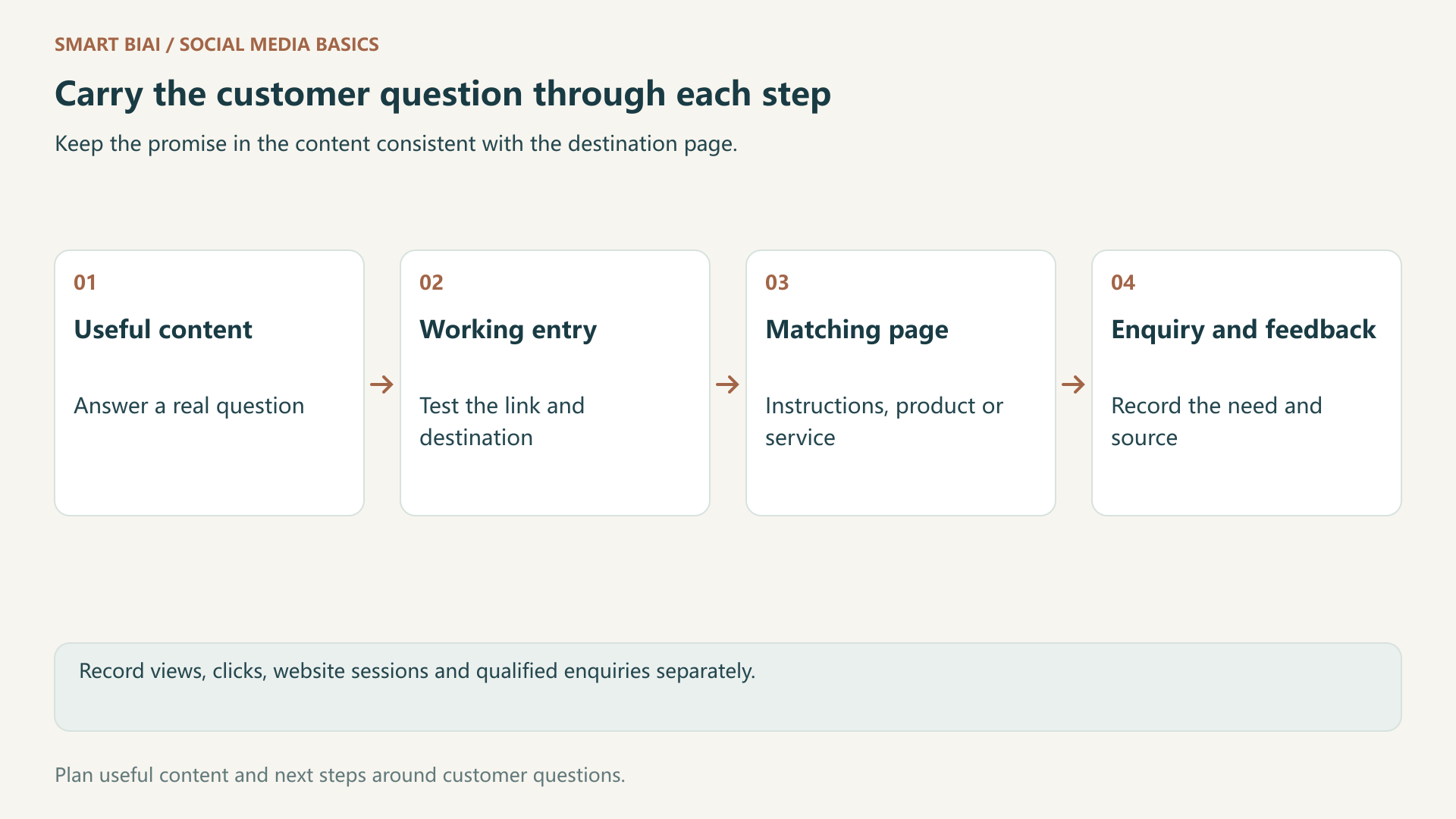
Start with what the customer needs next. Match each post to an available link and a useful page, offer a clear enquiry route, and connect the published work with its observed results.
Quick answer: what connects social traffic to business enquiries?
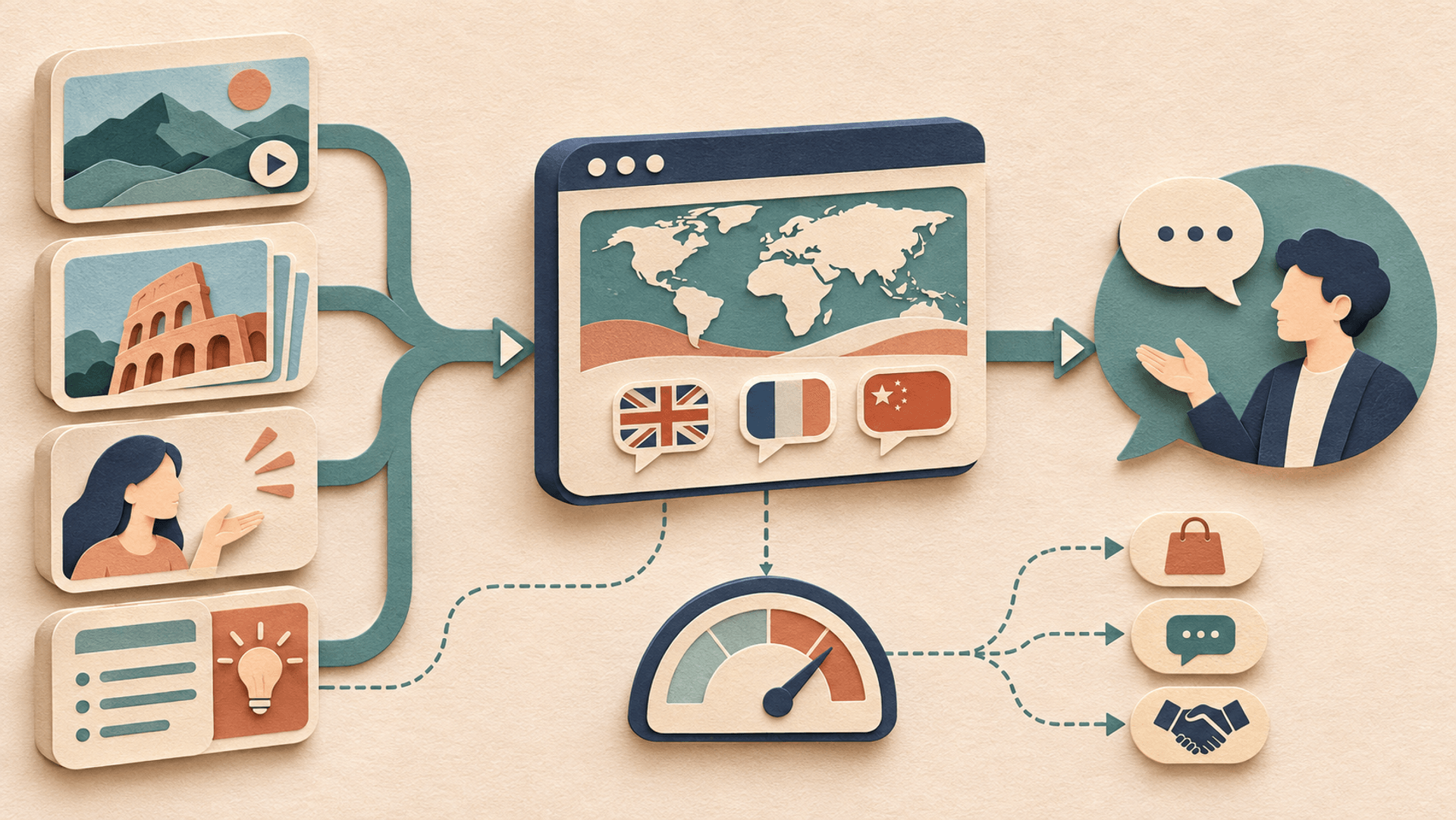
Connect the content a customer sees, a link they can actually use, the page they reach and the enquiry that follows. Keep the post and its results together so you can see where visitors need more help. Views, website visits and qualified enquiries remain separate measures.
Updated November 2026: link availability still depends on the platform, account and format. The following steps connect useful content with working links, relevant pages and customer enquiries.
1. Decide what the customer needs after the post
Identify the customer, their immediate question and a useful next step. A cordless-vacuum demonstration about sofa edges can lead to instructions for the attachment and the relevant product information. Sending everyone to a generic homepage makes visitors search again.
Service content needs a different next step. A video-production service page can show deliverables and sample work; a managed-service page can explain account operations and collaboration. Distinguish software, finished-video production and managed operations before asking for an enquiry.
| Customer question | Suitable destination | What the page should provide |
|---|---|---|
| How do I use this product? | Product instructions or tutorial | Matching model, steps and conditions |
| How do I organize many accounts? | Operations guide or software page | Method, scope and enquiry route |
| What if we have no video team? | Video-production service | Deliverables, examples and brief form |
| Can a team operate accounts for us? | Managed social service | Operations, distribution and reporting scope |
2. Check each platform's available link
Open the destination from the target account before writing the call to action. A path that works on one platform may not work on another.
For TikTok, inspect the profile website field. For Instagram, check the profile and any available Stories link entry. For Facebook, check the Page and the chosen post format. Match the call to action to a link the account actually provides.
YouTube requires particular care with Shorts. Its official link guidance says URLs in Shorts descriptions and comments are not clickable. Some external links in long-form content require access to advanced features. Inspect channel profile and related-video routes separately.
3. Use consistent UTM names
UTM parameters add source information to a destination URL. They do not make plain text clickable or improve search rankings. Confirm the page and entry first. Google's custom URL guidance explains how campaign parameters support traffic reporting.
Choose consistent source, medium and campaign names. Use a content value for an account, entry or variation. Lowercase names and consistent spelling make later comparisons easier. The examples below are naming choices, not platform requirements.
| Parameter | Identifies | Example | Check |
|---|---|---|---|
| utm_source | Platform | tiktok | Do not alternate spelling |
| utm_medium | Channel | social | Separate organic and paid activity |
| utm_campaign | Topic or campaign | vacuum_care | Use one name for the same activity |
| utm_content | Account, entry or variation | uk_home_sofa_a | Exclude personal information |
An illustrative link is https://www.example.com/en/vacuum-care?utm_source=tiktok&utm_medium=social&utm_campaign=vacuum_care&utm_content=uk_home_sofa_a. Replace the example destination before use and test parameter retention through redirects.
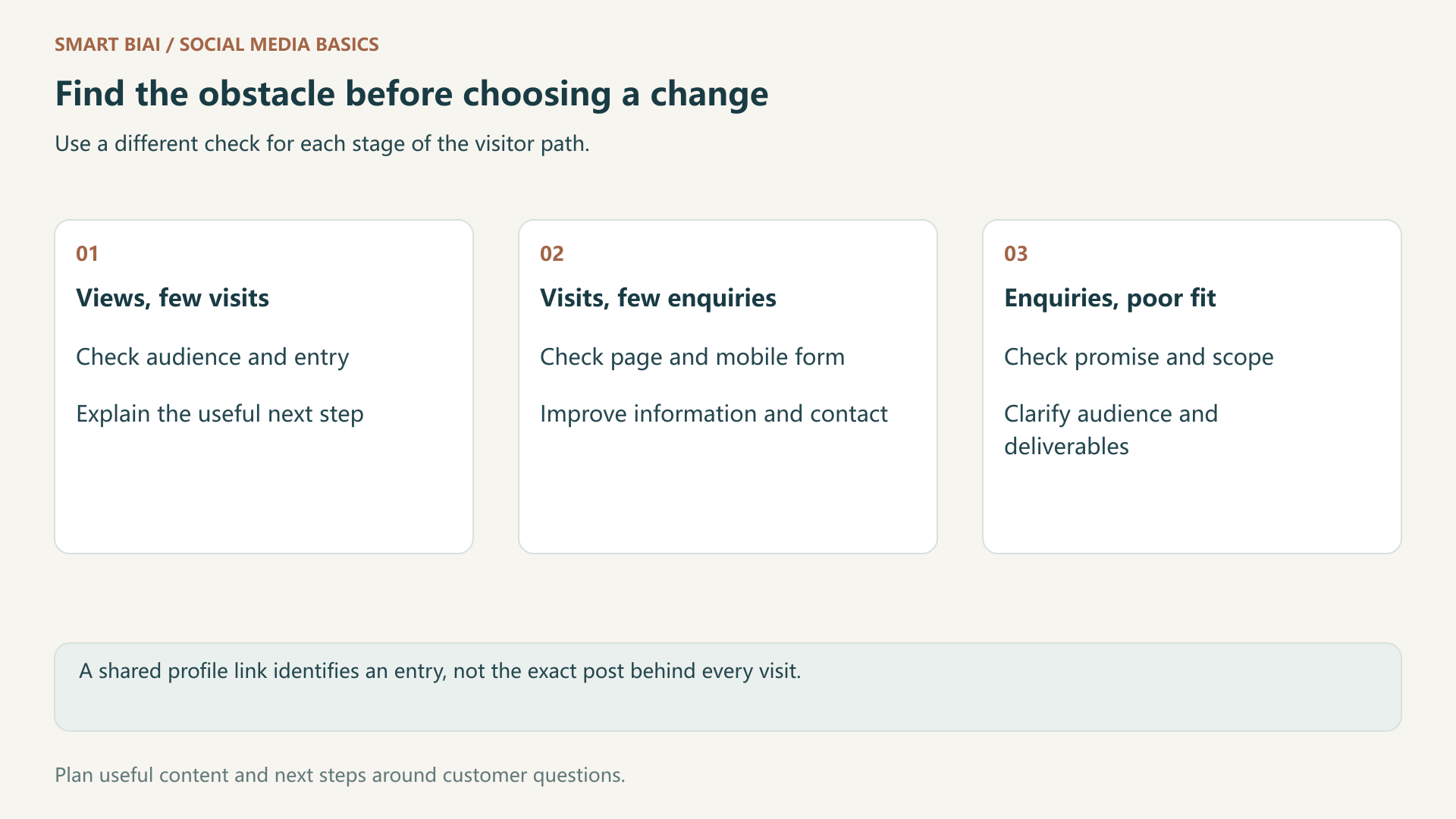
When several videos share one profile link, its parameters can identify the account or entry. They do not, by themselves, identify the exact video behind every visit. Publishing dates and campaign records can support interpretation, but timing alone does not prove attribution.
4. Connect published work, sessions and enquiries
Record the account, public post URL, actual publishing time, available link, destination and UTM values. Review website sessions, submitted forms and qualified enquiries over the same period. Define an enquiry by the business need and fit, rather than treating a button click as a qualified lead.
A simple worksheet can track the platform and account, post link, actual publishing date, destination and UTM values, reporting period, sessions, qualified enquiries and next change. Separate the publishing date from the reporting period so comparisons cover the same length of time.
A link click-through rate divides comparable link clicks by the relevant impressions. A session enquiry rate divides deduplicated qualified enquiries by the relevant page or campaign sessions. Confirm which metrics exist and how they are counted before dividing them.
For a calculation example, 200 campaign sessions and eight deduplicated qualified enquiries produce a 4% session enquiry rate. The figures illustrate the calculation.
Platform clicks and website sessions need not match. Repeated clicks, incomplete loads, in-app browsers, analytics configuration and user choices can affect the record. Mark unavailable information instead of treating every difference as invalid traffic.
5. Diagnose the step that is losing the visitor
Inspect the path before changing everything at once. Identify whether the visitor needs clearer content, a working link, a better page or a more suitable offer.
| Observation | First check | A useful change to try |
|---|---|---|
| Views but little profile interest | Audience, topic and next step | Answer a buying question and name useful follow-up material |
| Profile visits but few website visits | Website link and description | Test the route and explain the destination |
| Website sessions but few enquiries | Page match, mobile experience and form | Add relevant examples and remove unnecessary fields |
| Forms but poor business fit | Promise, service scope and audience | Explain who the offer suits and what it delivers |
6. Where Smart BIAI fits
Use Smart BIAI to organize accounts by market, platform and content role, then connect localized assets to publishing tasks. Keeping the public post URL, actual date and website link with each task makes later review easier.
Platform reporting describes viewing and interaction; website analytics describes visits; enquiry follow-up helps establish whether the need fits the offer. Review these sources together. Account connection alone does not provide every website conversion. Start with one market and a related set of posts before expanding.
Continue reading
Questions enterprise teams ask
Should every social post send people to the homepage?
No. Prefer a product, tutorial, case or service page that continues the question raised by the post.
Do UTM parameters improve search rankings?
No. They describe traffic sources and campaigns, rather than increasing reach or rankings.
Should utm_content contain a phone number?
No. Use an account code, post ID or variation name instead of personal contact details in a public URL.
Why can platform clicks exceed website sessions?
They use different counting methods. Repeated clicks, loads, browsers and analytics settings can also affect the totals.
Can one profile link attribute every video visit exactly?
Usually not. A shared link identifies the account or entry; post-level attribution needs additional verifiable information.
Does Smart BIAI automatically collect every website enquiry?
No. Review platform data alongside website analytics and enquiry records, using the information available from each connection.