SHORT ANSWER
A useful TikTok traffic path starts with a working profile entry, a clear reason to visit and a page that continues the video. Review observed visits and enquiries without treating every view as buying intent.
Quick answer: how can TikTok bring useful visitors to a business website?
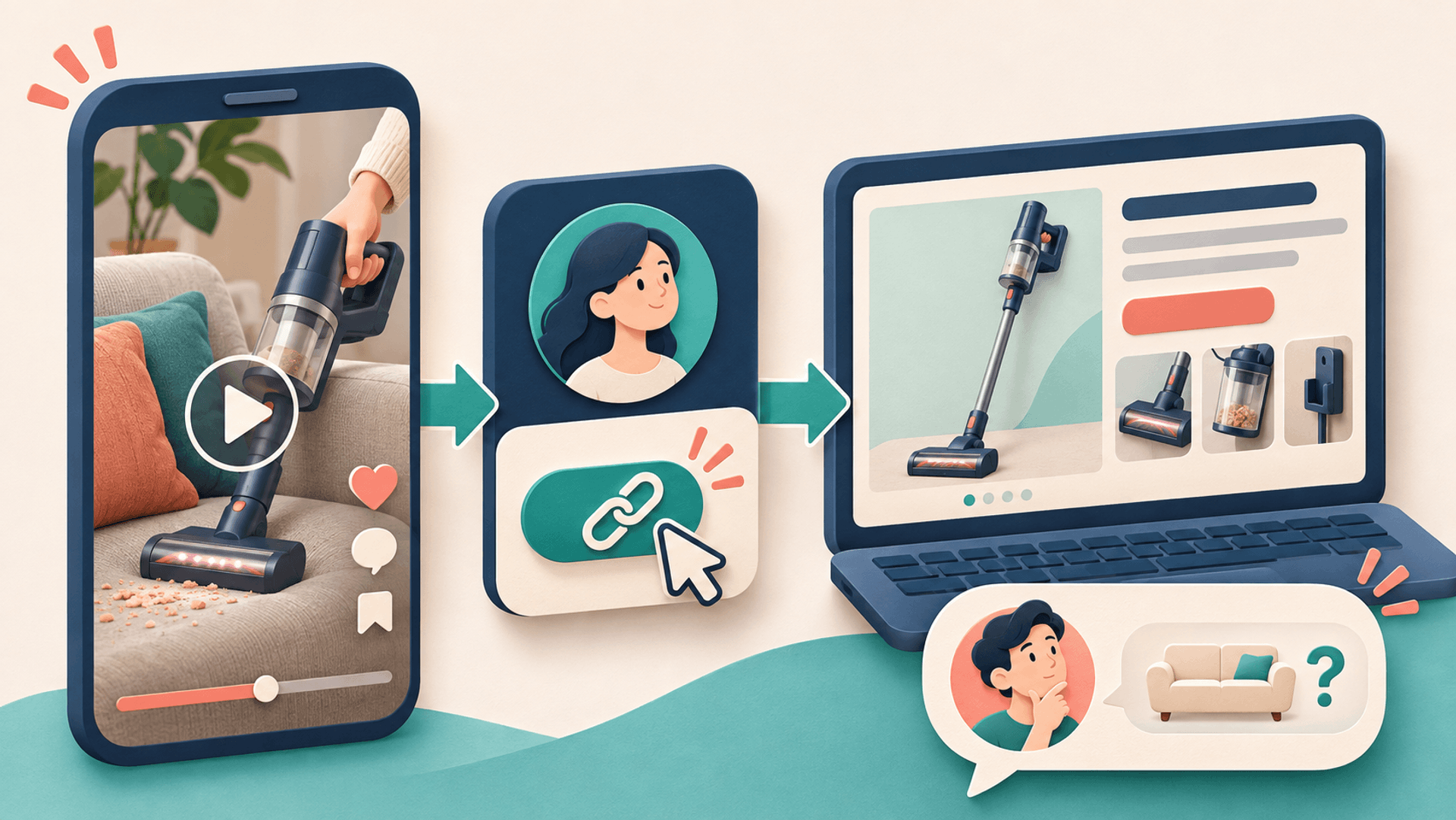
Answer a specific customer question in the video, then use an available profile website link to connect the viewer with a page that continues the same question. Align the profile description, call to action and destination. Review available profile feedback, website sessions and qualified enquiries separately.
Updated November 2026: this guide focuses on organic content and profile website links. Advertising, TikTok Shop and in-app transactions use their own routes. Check website-link availability and any verification steps in the account.
1. Verify the profile website link first
Open the profile editor and inspect the available Links or Website options. Add the business's public HTTPS page, save it, and test the route as an ordinary visitor. Confirm the destination and its mobile experience.
TikTok's account-type guidance describes website-link capabilities, including a threshold of at least 1,000 followers for Personal Accounts. For business-related access, also inspect the link help page and any verification steps actually presented to the account. A follower count or type change is not a substitute for checking the working entry.
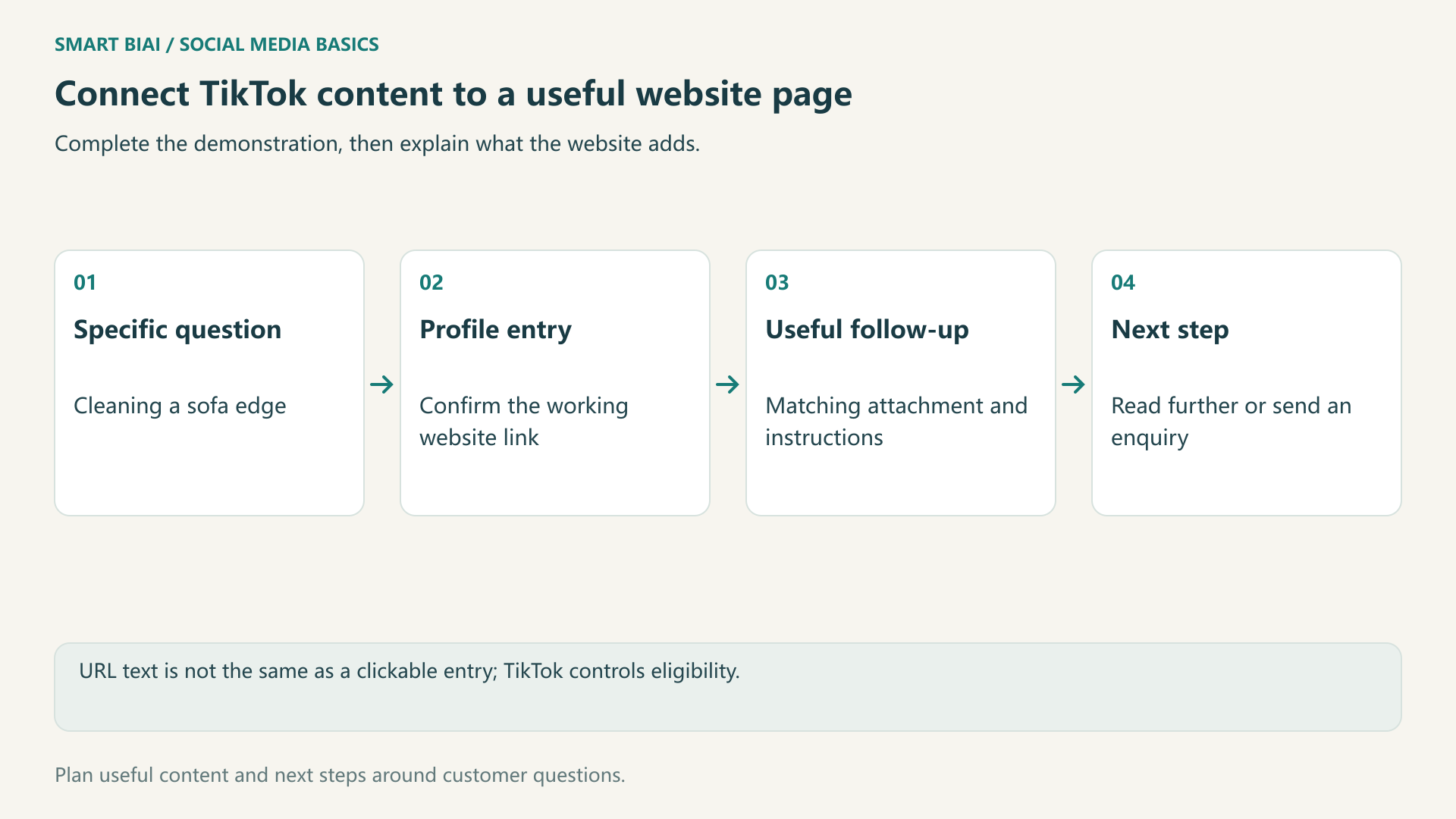
If there is no website field, continue preparing useful content and accurate profile information while checking the platform's available eligibility process. A URL typed into a bio, caption or comment is not automatically a clickable website entry.
| Check | Question | Common mistake |
|---|---|---|
| Website entry | Is it available and saved? | Assuming every business account gets immediate access |
| Public visit | Can another viewer open it? | Treating text in the editor as a working link |
| Language and market | Is the mobile page useful to this audience? | Sending every market to one language |
| Redirects and parameters | Does the intended page retain the source information? | Testing in only one context |
2. Give viewers a specific reason to continue
Finish the useful demonstration in the video, then name the extra information on the website: complete attachment instructions, compatible models, a tutorial or service examples. A generic request to learn more gives less guidance.
For a cordless-vacuum example, show how the attachment cleans a sofa edge, then use the profile link for compatible models and full attachment instructions. The page should continue the same product explanation.
Use the target audience's language in the profile to explain who the account helps and what the website adds. Accounts may have different roles, such as home tutorials, demonstrations or distributor information, while keeping each description accurate.
3. Match the destination to the content
Someone learning a task may need a tutorial; someone comparing options may need product details; someone seeking help may need a consultation. If one profile link serves several topics, use a clear theme page with a small set of useful choices and keep it current.
| Video subject | Useful next step | What the page needs |
|---|---|---|
| Installation or usage | Compatible models and full instructions | Matching product, attachment and conditions |
| Localized marketing video | Other language examples and service details | Samples, deliverables and enquiry route |
| Multi-account content planning | Account and publishing workflow | Method, software scope and fit |
| A buying question | Dimensions, compatibility or service scope | Product dimensions, compatible models and service details |
Walk the full route on a phone: video, profile, website, relevant information and enquiry. Check loading, language, forms and contact details. Explain why requested information is needed and avoid unnecessary form fields.
4. Identify the account or video behind a visit
A profile URL can include UTM parameters. For example, consistently use tiktok as the source and social as the medium, then identify the campaign and account or entry. Parameters work with the website's analytics setup; they do not produce reports by themselves.
If several videos share one profile link, website reporting can usually identify the account or entry before it can identify a specific video. Keep each public post URL, actual date, topic and link version for context. Do not allocate every visit to a particular video merely because it was published nearby.
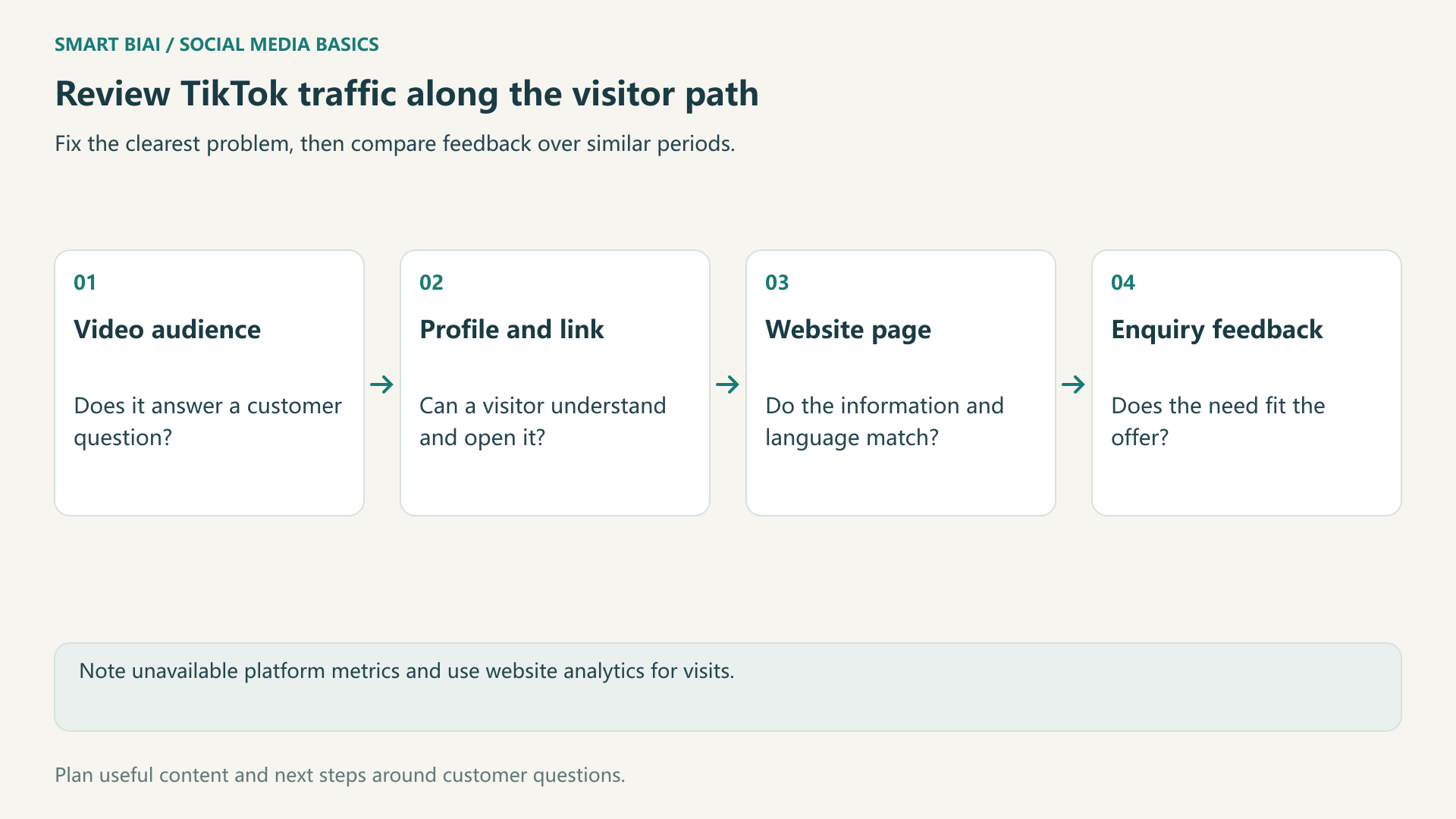
Use a consistent observation period. Profile visits, website clicks, sessions and qualified enquiries describe different stages. If a metric is unavailable, do not estimate it from views or record the missing value as zero.
5. Diagnose views without visits and visits without enquiries separately
First check whether the content attracts the intended customer. Then inspect the entry and destination. A new closing line will not resolve a mismatch between the video topic and the website.
| Observation | First check | A useful first change |
|---|---|---|
| Views with little profile interest | Does the topic answer a customer question? | Use an actual usage or buying question |
| Profile visits with few website visits | Is the field working and explained? | Test as a visitor and name the follow-up material |
| Sessions with few enquiries | Does the page match the video? | Improve information, examples and the mobile form |
| Enquiries with poor fit | Is the scope misleading? | Distinguish products, software and services |
Fix the clearest obstacle first and note the date. Review the same length of time after the change, alongside any changes in topic, audience or page experience.
6. Use Smart BIAI to organize market-specific work
Organize accounts by country, platform and content role. Connect source assets, localized versions and publishing tasks. Prepare the demonstration and explanation in each language, then check the account's copy, public topics and available publishing fields.
Smart BIAI supports AI video creation, account organization and publishing, helping teams keep localized content and schedules connected. TikTok sets website-link eligibility.
Continue reading
Questions enterprise teams ask
Is a URL in a TikTok caption automatically clickable?
No. Plain text and a platform-provided website entry are different. Test the actual account and format.
Does switching to a business account guarantee an immediate website link?
Not necessarily. Check whether the account offers a website link, whether it is available in the region and whether verification is required.
Should a business stop posting until it has a website entry?
No. Continue useful content and accurate profile preparation while checking the available eligibility process.
Should every video ask for an enquiry?
No. Instructions, product information and examples can be more useful next steps for some viewers.
Can one profile link identify the video behind every order?
Usually not precisely. A shared link mainly identifies an account or entry. Order attribution needs additional verifiable information.
Can Smart BIAI enable TikTok website-link eligibility?
No. TikTok controls website-link eligibility. Smart BIAI helps teams prepare content, organize accounts and manage publishing.