
SHORT ANSWER
Use one customer question to plan distinct Instagram content: a Reel shows the action, a carousel explains details and Stories invite follow-up questions. A cordless-vacuum example connects topic selection, a flexible two-week plan, original materials and practical review.

Article
Give Instagram Reels, carousels and Stories different jobs: demonstrate product use, explain details people can read at their own pace, and learn what viewers still want to know. Start with original product materials and real customer questions to build a content routine your team can sustain.
1. How should Reels, carousels and Stories work together?
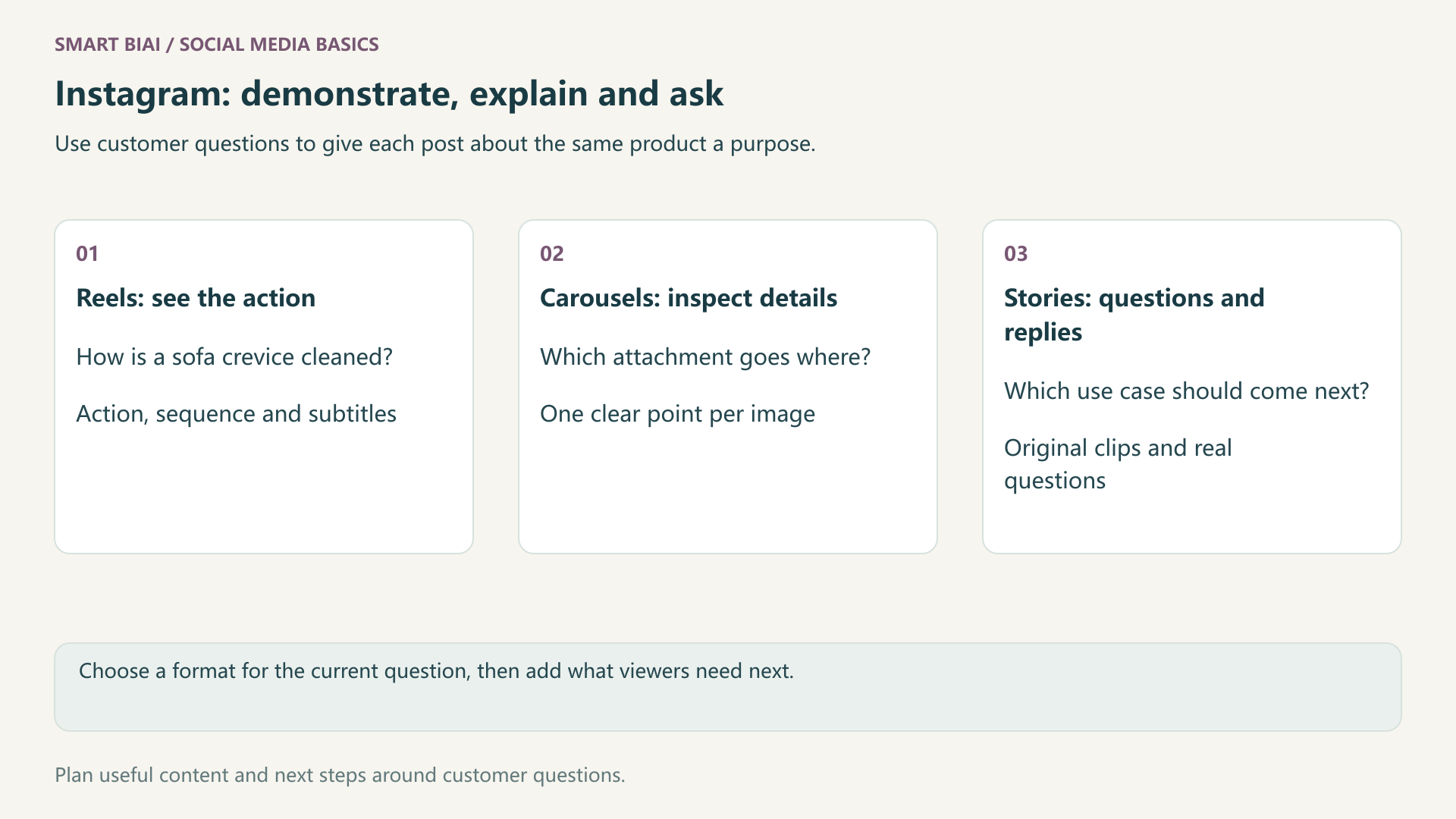
Choose whether viewers need to watch an action, inspect details or respond to a question. Several formats can address the same topic, but each post should have a clear purpose.
| Format | Useful job | Cordless-vacuum topic | Materials to prepare |
|---|---|---|---|
| Reel | Show actions and use cases | Cleaning a sofa crevice | Close-ups, sequence and subtitles |
| Carousel | Explain details and choices page by page | Which attachment to use where | Clear attachment photos and one point per image |
| Stories | Add timely context and invite questions | Which cleaning situation should we show next? | Original clips and available interaction tools |
Start with the format that explains the current topic best, then add useful supporting content. Meta's Instagram best practices cover creation, engagement and reach, with account-specific advice to consider alongside your own results.
2. How can one product generate distinct topics?
Replace a general feature list with a question about a real situation. For a sofa crevice, show the action, explain attachment differences and ask which area viewers find difficult to clean.
| Customer question | Reel | Carousel | Stories follow-up |
|---|---|---|---|
| How do I clean a sofa crevice? | Fit the attachment and show the action | Attachment shapes and intended uses | Ask which area to cover next |
| Where can I store it in a small home? | Take it out, use it and put it away | Actual dimensions and storage details | Show the filming location |
| Which attachment do I need? | Switch tools between two situations | Explain each attachment's purpose | Answer a specific attachment question |
| What routine care is needed? | Follow the product instructions | Materials and care notes | Clarify a commonly missed step |
Use your product's actual dimensions, suitable surfaces and care information. Show the actual attachments and demonstration conditions so viewers can judge whether the product suits their situation.
3. What could a manageable two-week plan look like?
Choose two questions worth explaining. Make one Reel and one carousel each week, adding Stories when there is a useful new clip or a question to answer. Adjust the pace to leave time for creation and replies.
Week one could cover sofa crevices: a demonstration Reel and an attachment carousel. Week two could cover storage and care, with a post-use routine and a set of detail images. Questions from Stories can inform the next topics.
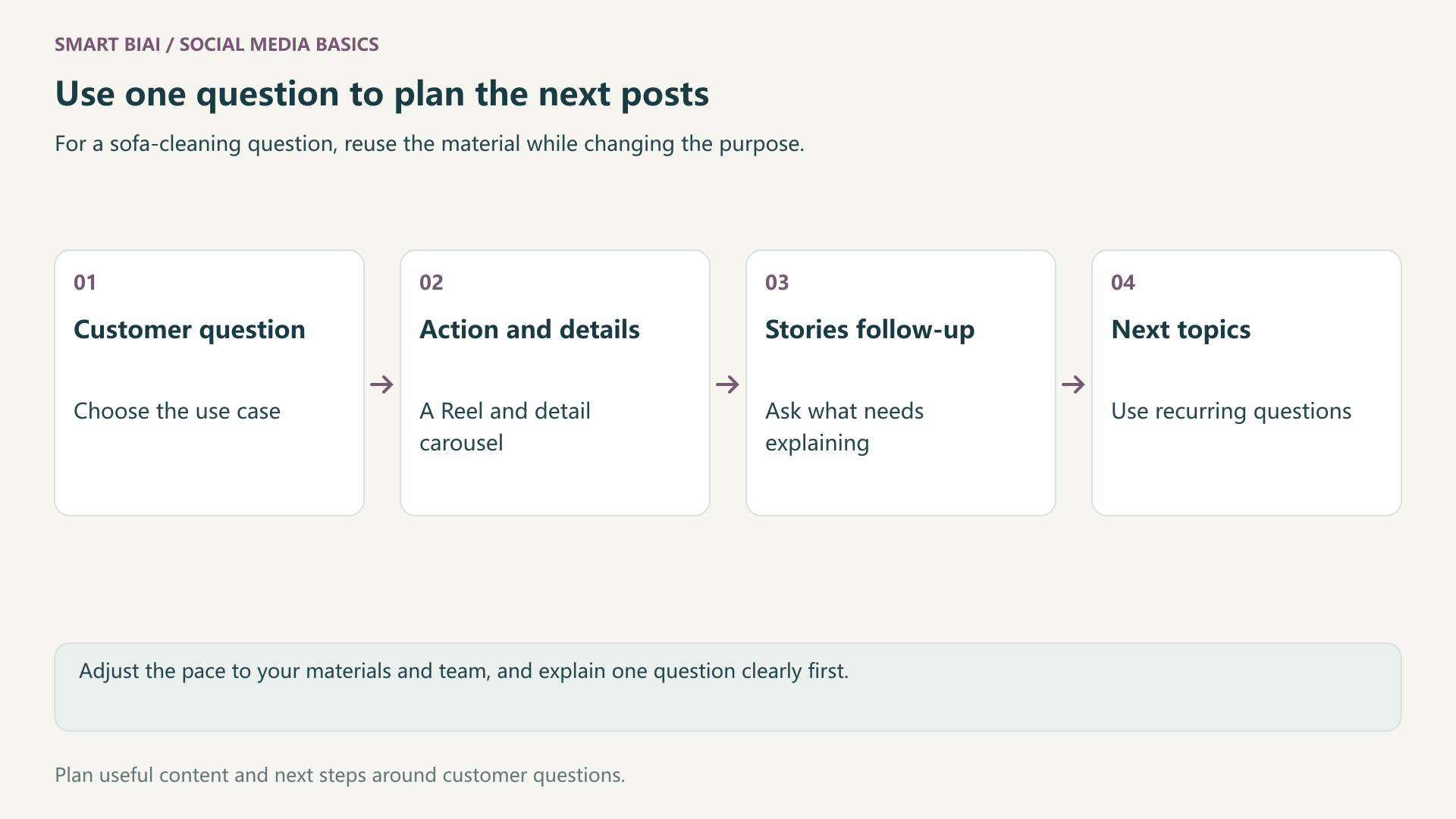
Adjust the two-week plan to your materials and team. Explain one question clearly before preparing the next set of posts.
4. How can the team reuse materials without repeating the same post?
Give each finished piece its own emphasis. Reels need clear actions and context; carousel pages need understandable explanations; Stories can offer new moments or answers. Check subtitles, product framing and destinations when adapting language or format.
Check commercial usage conditions before using music or third-party material. For AI-assisted generation or editing, handle labels according to the content and platform requirements. Do not present fictional reviews, demonstrations or outcomes as real customer records.
Smart BIAI helps organize materials, prepare video and language versions, and arrange content tasks for authorized accounts. Record which assets and versions each finished post uses so the team can find the footage later; see enterprise social content assets. Connect the account and check the supported publishing formats before scheduling. Use Instagram for interactions such as Stories stickers.
5. How should viewing, saves and replies shape the next posts?
Review each post in light of the question it was meant to answer. Check whether a demonstration explains the action, whether detail images prompt useful saves or questions, and what Stories replies reveal. Review formats separately before connecting results to the topic.
| Content job | Look at | Possible next step |
|---|---|---|
| Explain an action | Available viewing data and comments | Improve framing or clarify a step |
| Help someone choose | Saves, shares and specific questions | Add dimensions, attachment details or use cases |
| Understand audience needs | Actual replies and available interaction data | Turn repeated questions into a topic |
| Help people learn more | Profile activity, available link visits and inquiries | Match the destination to the product and language |
Record saves, shares and inquiries separately. Ask a colleague familiar with the product to clarify recurring questions. For organizing several accounts, see Global Social Operations.
Continue reading
Questions enterprise teams ask
Is publishing only Reels enough for a business account?
Start with what customers need to understand. Video suits actions; images may explain specifications and attachment choices more clearly. Add formats when they serve a useful purpose.
Can we turn a Reel into a carousel?
You can reuse images you have rights to, but redesign the sequence and copy. Explain one point per page instead of publishing a set of similar video screenshots.
Should we post Stories every day?
Post when you have useful context, questions or timely information. Choose a sustainable workload rather than filling a daily quota. The plan here is illustrative.
Can we compare reach and views directly across all formats?
Check metric definitions and observation periods first. Viewing experiences differ, so compare similar posts and evaluate each format's purpose.
Can the same footage be used for several countries?
Reuse materials you have rights to, then adapt language, context and product details. Check music permissions, subtitles and destinations for each market.
What should we prepare before scheduling Instagram posts in Smart BIAI?
Connect the account and prepare the video, images and copy. Check the formats and fields in the task page, and use Instagram for interactions such as Stories stickers.