
SHORT ANSWER
Hashtags describe a topic, mentions link to relevant people or Pages, and a location adds place context. Product demonstrations and event updates show how to prepare each field and check the published result.

Quick answer: what should each Facebook field do?
Use a Facebook hashtag to describe a topic, a mention to identify a relevant entity, and a location to add genuine place context. Write a useful post first, then add only the fields the post needs.
Updated November 2026: options can differ by account, format and publishing method. Check the actual composer and the published post before treating prepared text as a working hashtag, mention or place selection.
1. Separate topics, entities, places and private labels
A business update may discuss a topic, name a partner and describe an event venue. Those are different pieces of information. Private account labels help a team organize accounts and do not automatically appear in Facebook posts.
| Field | Purpose | Example | What it does not establish |
|---|---|---|---|
| Hashtag | Identify the post topic | #VacuumCleaner on a cleaning demonstration | Guaranteed reach |
| Mention | Link to a relevant entity | The Page of a participating partner | An endorsement or partnership by itself |
| Location | Add place context | The actual venue of an event update | Geographic ad targeting |
| Private account label | Organize accounts | UK market, home tutorials | A public hashtag on the post |
Facebook provides separate help pages for hashtags and mentions. Confirm available selections and their display in your own account.
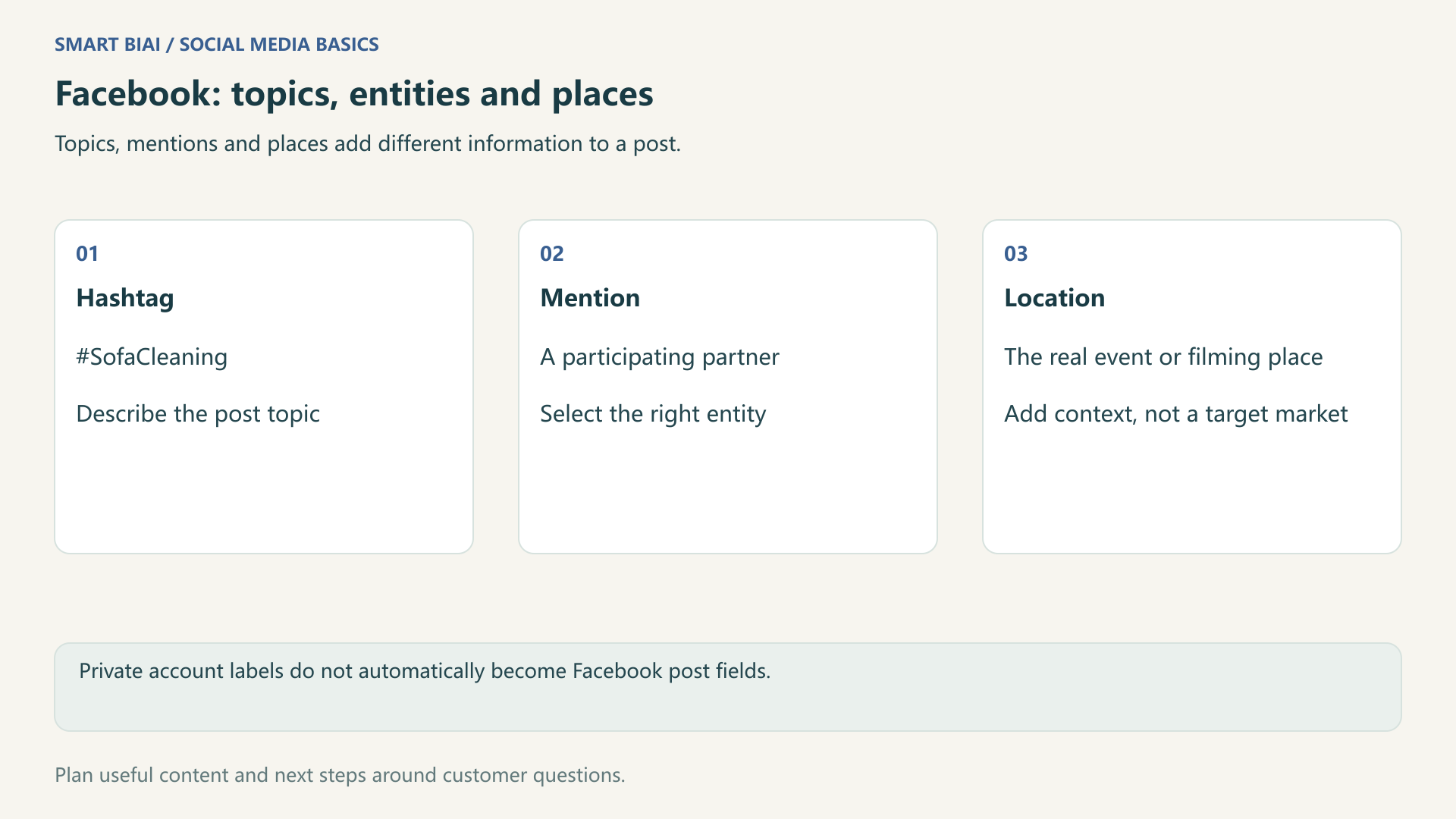
2. Choose hashtags around the demonstration
Begin with one sentence describing the content. A cordless-vacuum video showing how to clean sofa edges suggests product and cleaning topics, rather than unrelated trending subjects.
Search candidate terms on Facebook and inspect the posts they return. Decide whether the meaning matches the intended audience and the demonstration. Capitalizing words in a multiword English hashtag, such as #SofaCleaning, can make it easier to read. Do not split the topic after the # with spaces.
A reusable research list can save time, but adapt the final selection to each post. There is no single hashtag count that suits every post. The number a composer accepts is separate from the number of genuinely relevant topics. A clear explanation is more useful than filling space with broad terms.
3. Confirm the entity behind a mention
Mention an entity when the content actually concerns it. Select the intended person or Page from the suggestions, then check its name, image and public information. Pasting an @name may leave ordinary text rather than a working mention.
For a joint event demonstration, explain what each participant did before selecting the partner Page. Describe the partner's actual involvement and mention only relevant Pages.
Third-party tools and Facebook's native composer may offer different selections. If the current method cannot select the required entity, keep the written explanation clear and complete any necessary supported action through the native composer.
4. Use a location for a real place
A store event, exhibition update or local service post can benefit from an accurate place. A tutorial aimed at UK customers may have been filmed elsewhere. Use the real filming location when it matters; the intended market can stay in the content plan.
| Scenario | Topic choice | Mention | Location |
|---|---|---|---|
| Sofa-cleaning demonstration | Product and action shown | Optional when no entity is involved | Omit if place is irrelevant |
| Joint partner demonstration | The actual product question | Confirm the participating Page | Use the real event or filming place |
| Exhibition update | Event and exhibit subject | Confirm organizer or partner | Check the correct venue |
| Market-specific tutorial | Topic in the audience's language | Adapt to the actual participants | Do not substitute the target country |
A post location, a business Page address and an advertising audience region are separate settings. Changing one does not establish that the others changed, or promise local organic distribution.
5. Check the published result for each account
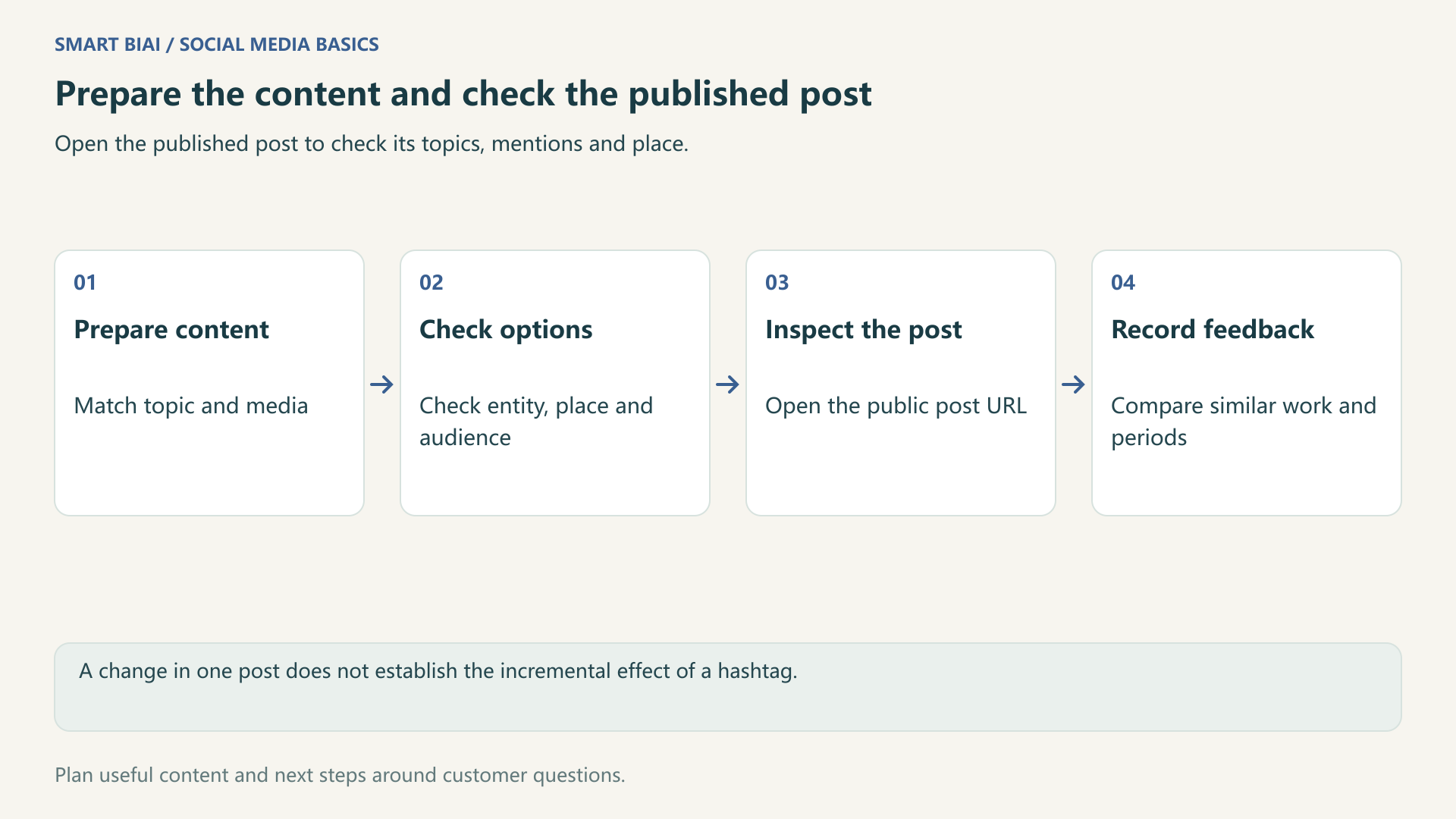
Prepare the language, copy, topics and any required entity or place for each account. Check which fields the selected publishing method supports. After publication, open the actual post and inspect its display.
Smart BIAI helps teams organize accounts, assets and publishing tasks. Account groups and private labels organize operations; public topics, mentions and locations remain separate post fields, subject to the capabilities of the current publishing method. If a field is unavailable in the publishing tool, check the options in Facebook's native composer and inspect the public post.
| When | Check | Record |
|---|---|---|
| Preparation | Topic and demonstration agree | Copy, candidates and choice |
| Before publishing | Account, entity, place and audience | Fields actually selected |
| After publishing | Links, entity, location and media | Public URL and corrections |
| Comparable review period | Available viewing, interaction and questions | Observed metrics and next topic |
Compare similar markets, formats and observation periods. Review the topic, demonstration and copy alongside the hashtags. If the platform does not provide a metric, mark it as unavailable.
Continue reading
Questions enterprise teams ask
Should a business use as many hashtags as possible?
No. Select relevant topics after answering the customer's question. An accepted field limit is not a recommended count.
Does typing an @name create a mention?
Not necessarily. Select the intended entity in a supported entry and inspect the published link.
Does a location restrict a post to local viewers?
No. A location adds context; it is not geographic ad targeting or a guarantee of local organic reach.
Do Smart BIAI account labels become Facebook hashtags?
No. Private labels organize accounts. Prepare public post topics separately.
Does every business post need a location?
No. Omit it when there is no useful, genuine place information. A target market is not a filming location.
How can a team review a hashtag change?
Record the terms, content and date, then compare similar work while checking other changes. One post cannot establish causation.