
SHORT ANSWER
A business Page supplies identity and a stable contact route; individual posts lead to relevant information. A lighting example shows how to connect content, website pages and actual requirements.

How can a Facebook Page bring useful website visits?
Connect a credible business Page, relevant content and a website that answers the next question. The Page explains who the business is, a post provides a reason to visit, and the website supplies information and an appropriate enquiry route.
As of November 2026, check the fields and buttons available for the actual Page, permissions and publishing interface. This guide focuses on business Pages. Personal profiles, groups and advertising use different settings.
1. What does each Page or content entry do?
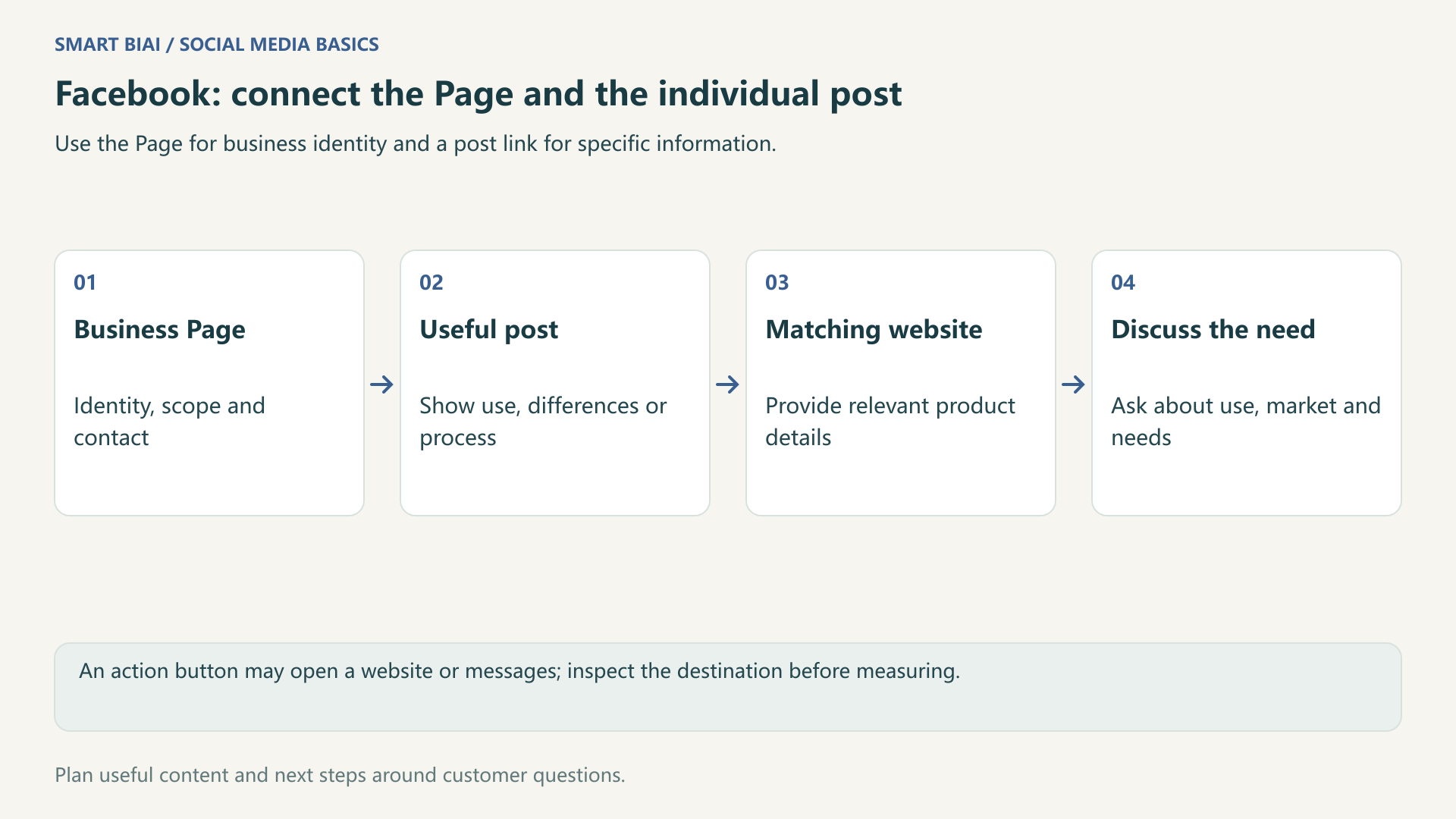
A stable Page entry supports continuing business information. An individual post should link to information about its own subject. An action button that opens a message or call is not a website entry, so its clicks should not be counted as website visits.
| Entry | Useful role | What to check |
|---|---|---|
| Available website and contact information | Continuing business, product or service information | Current address, label, language and contact route |
| Available Page action button | The next step offered by that button type | Whether it opens a website, message or another process |
| Relevant post link | Supporting material or a matching case | Destination, preview and published display |
| Messages and comments | Answers and relevant follow-up material | Record separately from website visits and forms |
Consult Facebook’s Page-information, action-button and link-sharing help when setting up the Page, then inspect the actual result. Check the preview title, image and description as well as the written URL.
2. What reason should a post give people to visit?
For a B2B lighting business, use a scene image or demonstration to explain lighting for a corridor, showroom or office. The website can add product information, application conditions or service details that help a buyer make a decision.
Name the next step, such as fixture and application details or information needed for a project enquiry. Avoid unsupported price promises, free-offer claims or performance guarantees that the destination does not deliver.
| Content subject | What the post provides | What the website adds | Suitable enquiry information |
|---|---|---|---|
| Office lighting | Layout considerations and a clear demonstration | Product range, installation conditions and resources | Application, market and initial project need |
| Product differences | Confirmed specifications and intended uses | Matching models and public technical information | Use conditions and selection questions |
| Service process | How video production or account management works | Service scope, working process and relevant cases | Content, language, platform or delivery needs |
| Exhibition or launch | Current event and product context | A valid event or range page | Further material or business contact |
Adapt these examples to your business. Include the relevant models, specifications and use conditions so buyers can compare the options.
3. Should the Page and every post share one destination?
Not necessarily. A Page can link to a business or product overview. A specific model post should lead to that model’s information; a service introduction should lead to the relevant scope. Do not make visitors restart their search from the homepage.
Match the destination language and contact route to the market. When an activity ends, retain useful information or provide a relevant replacement. Check the final destination and source parameters when a redirect is involved.
4. How should the website handle real requirements?
Continue the same subject and supply information needed for a business decision. An initial B2B form can ask about the application, market and broad requirement. Offer a separate support route for purchased products instead of treating every message as a sales lead.
Test the page, table, controls and submission feedback on a phone and inside the app browser. Explain whether the enquiry was sent and what happens next. Detailed project documents can follow once the discussion has started.
5. How can the team review traffic quality?
A post-specific URL can use utm_source=facebook and utm_medium=organic_social, with campaign and content parameters that identify its subject. Give a shared Page destination a distinct marker such as profile. Parameters provide source context, not a guarantee of complete tracking across sharing and devices.
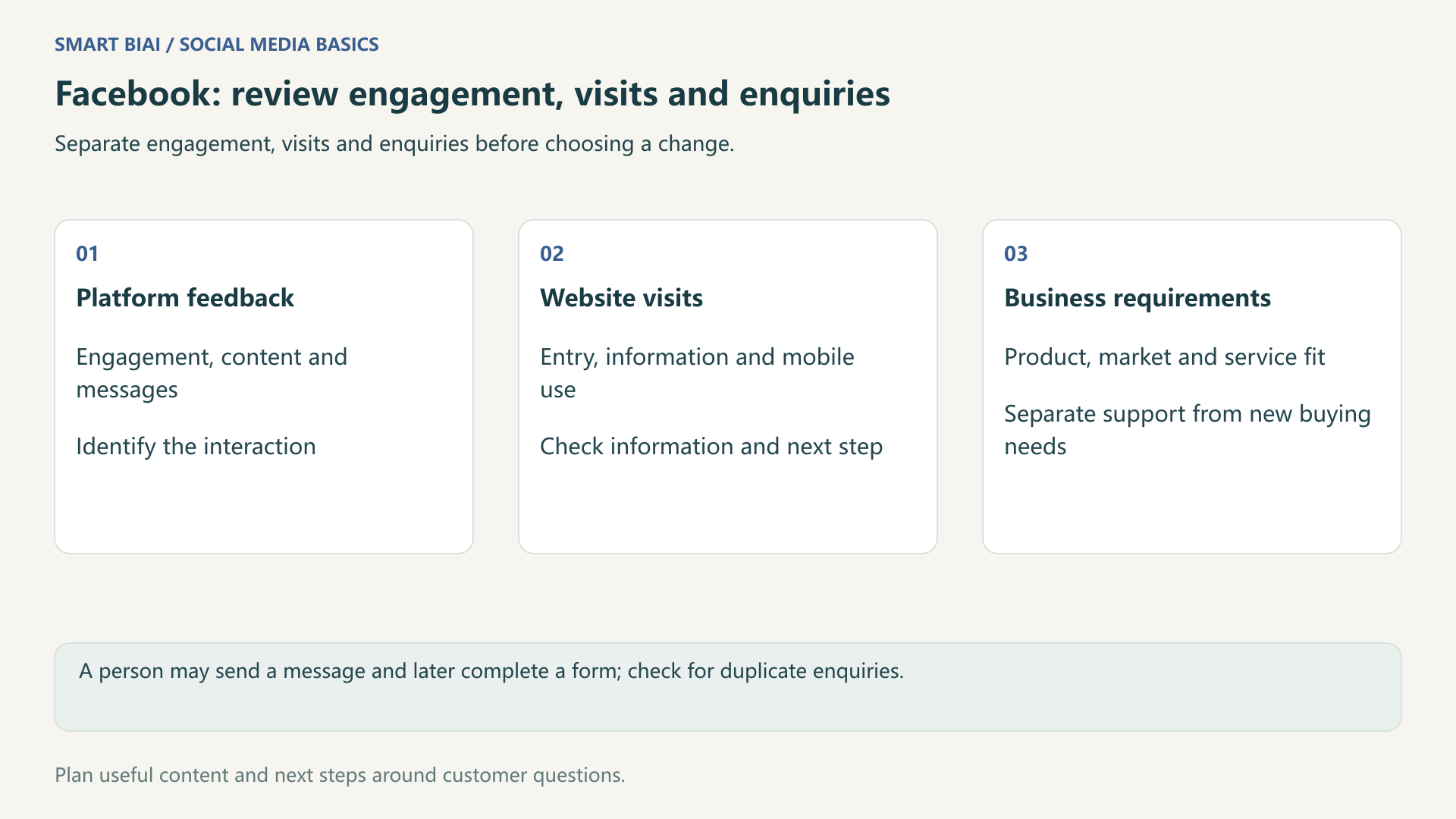
Read platform and website records separately. Post engagement is not a website visit, a message is not a website form, and an enquiry is not a sale. Assess the actual requirement against the product, service scope and intended market.
| Observed situation | First check | Possible adjustment |
|---|---|---|
| Engagement but few visits | A useful next step and a working link | Add relevant information or improve audience fit |
| Visits but few enquiries | Page usefulness and the mobile form | Clarify the offer and simplify the appropriate step |
| Many messages, few purchasing needs | Support questions or unrelated attention | Improve support routes and audience explanations |
| Poorly matched enquiries | A mismatch between post and destination | Correct the promise, market or scope |
Compare similar markets, formats and periods. When click data is missing, start with recorded website visits and enquiries. Likes do not reveal website conversion, and a single change is not enough to judge a link’s position.
6. How does Smart BIAI support Page content operations?
Smart BIAI helps organize accounts by market and role, manage media and language versions, schedule Page content and review post links and publishing records. Include the website destination in the plan so each post leads to suitable information.
Confirm Page buttons and other settings on Facebook, then use website analytics to review visits and enquiries. For continuing content, distribution and reporting support, discuss managed social media requirements.
Continue reading
Questions enterprise teams ask
Does this workflow apply to every Facebook account type?
It concerns business Pages. Personal profiles, groups, advertising and messages have different roles, permissions and publishing options.
Does an action-button click mean a website visit?
Not necessarily. The button may open a website, messaging, a call or another process. Test its destination before choosing the measure.
Should every post contain an external link?
No. A demonstration or answer can be useful by itself. Offer a relevant working link when further information would help.
Will changing the post wording fix an incorrect link preview?
Not always. Inspect the destination’s title, image and description and the actual published preview. The wording should match the information provided.
Can Facebook messages and website enquiries simply be added together?
Separate the channels and check for duplicates first. Someone may send a message and later submit a form; that does not automatically represent two new customers.
What Facebook content work can Smart BIAI help with?
It helps organize assets and language versions, schedule business Page content and review publishing records across accounts. Confirm account access and the publishing method first; manage Page buttons and other platform settings in Facebook.